September 9, 2026
Real Estate Marketing Automation: What an Agent Can Run for a Solo Broker
A solo agent can't answer a lead in 90 seconds while showing a house. Here's the specific listing, lead, and referral workflow an AI agent can run instead - and where you still have to step in.
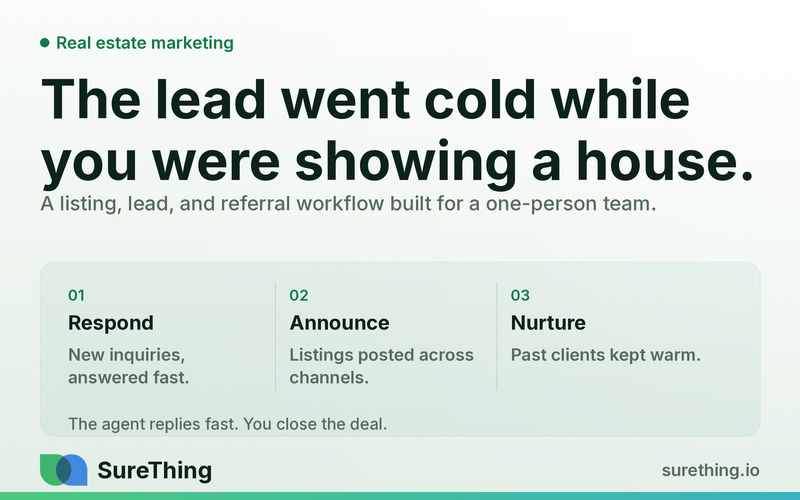
Real estate marketing automation, done right, is not a robot pretending to be your brokerage on social media. It's a set of standing workflows that handle the repetitive, time-sensitive parts of your business — announcing a new listing everywhere it needs to go, replying to an inbound lead in the first few minutes instead of the first few hours, following up with everyone who signed in at an open house, and keeping your past-client list warm enough that they call you (not the agent who bought a billboard) when they're ready to sell. For a solo agent or small brokerage owner, that's the difference between leads that convert and leads that quietly go to a competitor while you're at a showing.
Key Takeaways
The core bottleneck in solo real estate isn't lead volume — it's response speed, because one person can't be in a showing and at a keyboard at the same time.
Marketing automation for real estate covers four repeatable jobs: new listing distribution, open house follow-up, inbound lead response, and past-client/referral nurture.
An AI agent can draft and monitor around the clock, but pricing language, contract terms, and anything that could be read as legal or financial advice should always get a human review before it goes out.
A workable setup runs as a daily or weekly routine, not a one-time campaign — the value comes from consistency, not from one clever automated email.
The right comparison isn't "automation vs. no automation" — it's "automation vs. a solo agent's actual bandwidth on a Tuesday with three showings booked."
The Real Bottleneck: You're Selling Houses, Not Answering Emails
Most solo agents and small brokerage owners don't have a marketing problem. They have a bandwidth problem that shows up as a marketing problem. You get a lead from Zillow at 2:14pm while you're walking a buyer through a kitchen. You're not going to check your phone mid-showing, and even if you did, drafting a thoughtful reply while standing in someone's living room isn't realistic. By the time you respond — sometimes hours later, sometimes the next morning — that lead has already emailed two other agents, and whoever answered first is now the frontrunner.
The same bandwidth problem shows up in three other places. New listings need to go out across MLS syndication, your website, social channels, and maybe an email blast — but writing four versions of the same announcement takes time you don't have between closings. Open house sign-in sheets pile up on your dashboard and, realistically, most of those names never get a personal follow-up because by Monday you're onto the next property. And your past-client list — the people who already trust you and would be your best referral source — gets a holiday card once a year instead of the kind of steady, useful contact that keeps you top of mind when their neighbor mentions they're thinking of selling.
None of these are new problems. What's changed is that a lot of this work is now genuinely delegable — not to a virtual assistant you have to train and manage, but to an AI agent that can read a new inquiry, check what's already known about the lead and the property, draft a response in your voice, and hand it to you for a quick approval before it goes out. That's a different category of tool than a CRM that just stores contacts and waits for you to act. If you want the general mechanics of how AI handles inbound leads across industries, this breakdown of AI-driven lead follow-up covers the underlying pattern — this article is about how that pattern plays out specifically for listings, open houses, and referral pipelines in real estate.
The Workflow: What Actually Runs on a Given Day
Here's what a realistic, runnable setup looks like — broken into the five stages that make it repeatable rather than a one-off automation you set up once and forget.
Trigger
Each of the four core jobs starts from a specific, detectable event, not a vague schedule:
New listing: a property goes live on the MLS or you mark it "active" in your listing system.
Open house: the sign-in sheet closes at the end of the event, or names get added to a digital guestbook.
Inbound lead: a form fill, a "schedule a tour" click, a text message, or a portal inquiry (Zillow, Realtor.com, your website) comes in.
Past-client nurture: a recurring calendar trigger — weekly or monthly — plus milestone triggers like a home purchase anniversary or a change in local market data.
Read
Before drafting anything, the agent checks context so the output isn't generic. For a new listing, it reads the property details, photos, and price to write copy that's specific rather than templated boilerplate. For an inbound lead, it reads the inquiry itself, which listing it's tied to, and whether that person has contacted you before. For open house follow-up, it reads the sign-in details — name, contact info, and any notes you jotted down about what they said they were looking for. For past-client nurture, it reads where that contact sits in your list: recent past client, older past client, or referral source, since the tone and cadence should differ. This is also where an agent can pull in outside signals — local listing activity, days-on-market trends, or general market movement — the kind of thing an AI lead generation agent is built to monitor continuously rather than you checking manually between showings.
Does
This is where the agent does the actual drafting and legwork, without waiting for you to sit down and write it:
Drafts a new-listing announcement in three or four formats — a social caption, a short email blast, and a text-friendly version — pulling in the property's actual selling points rather than generic phrasing.
Drafts a personalized follow-up to each open house sign-in, referencing what they mentioned (if noted) or the specific property they toured, rather than a blanket "thanks for stopping by."
Drafts an immediate reply to a new inbound lead — acknowledging the inquiry, answering the obvious first question (is it still available, when can they see it), and proposing a couple of time windows for a call or showing.
Drafts a monthly or quarterly touch for the past-client list — a market update, a "your neighborhood in the news" note, or a light check-in — so the contact isn't only hearing from you when you want something.
Flags anything unusual — a lead asking detailed financing or contract questions, a past client mentioning they're already talking to another agent — so it gets your direct attention instead of a templated response.
Nod
Nothing goes out to a real person without you glancing at it first, especially early on. The practical pattern is a short approval queue: the drafted lead reply, the listing announcement, the open house follow-up, and the nurture email all land in one place where you can approve, tweak, or reject in a minute or two per item — done between showings, not instead of them. Over time, as you see the drafts are consistently on-brand and accurate, you can loosen the leash on the lower-stakes items (like a routine open house thank-you) while keeping a tighter check on anything that touches pricing, contract terms, or a lead who seems close to making a decision.
Routine
The whole thing only pays off if it becomes a habit rather than a project. A workable rhythm looks like: new listings get announced within a few hours of going live, every time, without you remembering to do it. Open house follow-ups go out the same evening or the next morning, while the visit is still fresh in the buyer's mind. Inbound leads get a first response within minutes, at any hour, with a human follow-up call scheduled for whenever you're actually free. And the past-client list gets touched on a fixed weekly or monthly cadence, so referrals build steadily instead of depending on you remembering to send a holiday card. This is the same discipline that separates a business that occasionally "does some marketing" from one that runs marketing as infrastructure — a distinction covered more broadly in this overview of AI agents small businesses are actually running day to day.
Manual vs. Automated: A Straight Comparison
Task | Manual (Solo Agent) | Automated (AI Agent + Human Nod) |
|---|---|---|
New listing announcement | Written once you have a free hour, often a day or two after going live, in one format for one channel | Drafted within hours across social, email, and text formats, ready for a quick approval |
Inbound lead response | Answered whenever you next check your phone — sometimes hours later, after a showing ends | Draft reply ready within minutes; you approve or send with a light edit |
Open house follow-up | Sign-in sheet often never gets a personal follow-up beyond a generic mass email, if that | Individual, context-aware follow-ups drafted the same day, referencing what each visitor said |
Past-client nurture | Annual holiday card or occasional "just checking in" text when you remember | Fixed-cadence market updates and check-ins, drafted and queued on a schedule |
Lead qualification notes | Kept in your head or scattered across texts, easy to lose track of between clients | Logged consistently so context carries forward into every future touch |
Where the Line Should Be
Can run unattended
Monitoring for new inquiries, drafting first-response messages, drafting listing announcements in multiple formats, drafting open house follow-ups, and queuing scheduled past-client touches can all happen without you watching in real time. Checking whether a listing is still active, pulling basic performance data on a social post or ad, and organizing sign-in sheets into follow-up lists are also safe to leave running — these are read-and-organize tasks with low downside if something's slightly off.
Needs a human nod
Anything that goes out under your name to a real lead or client should get a quick look before it sends — especially early replies to new inquiries, follow-ups to someone who seems ready to make an offer, and any message referencing price, timelines, or next steps in a transaction. A misread tone or a wrong detail in a draft is a minor annoyance if you catch it before it sends; it's a credibility problem if it goes out unreviewed.
Should never be automated
Anything that could be read as legal, contractual, tax, or financial advice — explaining loan terms, interpreting contract clauses, giving guidance on how a sale might affect someone's taxes, or answering questions about disclosure obligations — needs to come from you or the appropriate licensed professional, never from an automated draft sent without review. The same goes for negotiation strategy on an active deal and any communication tied to fair housing compliance, where wording matters and liability is real. Automation here is for drafting and organizing marketing content and routine outreach, not for making decisions that carry legal or financial weight.
FAQ
Will an AI agent sound like a generic bot to my leads and past clients?
It shouldn't, if it's set up with your actual voice and the specifics of each listing or contact rather than a generic template. That's the point of the "Read" step above — drafts pull in real property details and real context instead of filler, and you're reviewing them before they go out, so anything that sounds off gets caught early.
Do I need a big tech stack to get started, or can this run on what I already have?
Most solo agents already have the pieces — an MLS feed, a CRM or spreadsheet of contacts, a couple of social accounts, and an inbox. Marketing automation connects to what's already there rather than replacing it; the goal is to stop losing time in the gaps between those tools, not to rebuild your whole setup.
How fast can a lead actually get a first response?
Response speed is one of the more studied factors in lead conversion generally — research on lead response times consistently points to the first several minutes mattering far more than the first day. An AI agent's advantage is simply that it can draft that first reply the moment an inquiry comes in, at any hour, instead of waiting for you to be free.
Is this only useful for high lead volume, or does it help a smaller solo operation too?
It arguably matters more for smaller operations. A team with several agents can cover gaps by splitting shifts; a solo agent showing houses eight hours a day has no backup. The bottleneck described earlier in this piece is a solo-agent problem specifically, and industry reporting on real estate technology adoption has noted smaller brokerages increasingly turning to automation for exactly this reason.
Is this the same as the automated lead follow-up used in other industries, like med spas or clinics?
The underlying mechanics of read-draft-approve are similar across industries, as covered in a more general sense in the cross-industry lead follow-up piece linked earlier and in examples like this look at lead generation for a med spa. But real estate has its own shape — listings that need multi-channel announcements, open houses with a hard follow-up window, and a referral-driven past-client list — which is why the workflow above is built around those specific triggers rather than a generic lead form.
Where to Go From Here
None of this requires overhauling how you run your business or handing over control of your client relationships. It starts small — usually with the one bottleneck that's costing you the most leads right now, often inbound response speed — and expands from there once you can see the drafts are accurate and the approval step fits into your actual day. If you're curious what a setup like this looks like specifically for your listings, your open houses, and your past-client list, SureThing's agents are built to handle the drafting and monitoring described above while leaving the decisions — and the final send — in your hands.