July 2, 2026
What Is a Social Media AI Agent? (And How to Use One in 2026)
A social media AI agent does not just help you post — it runs the work: writing, adapting per platform, scheduling, and monitoring. Here is what that means for your team.
You've probably heard "AI agent" thrown around a lot in the past year. For most SMB owners, it lands somewhere between buzzword and vague promise — something that sounds important but hard to pin down.
Here's the plain version: an AI agent is software that doesn't just help you do a task — it does the task. Not a smarter autocomplete, not a chatbot you have to babysit. Something that takes a job off your plate and runs it.
For social media, that distinction is everything. A social media AI agent handles the actual work of running your accounts — writing posts, adapting them per platform, scheduling, routing approvals, and watching what performs. This guide explains what that means in practice, what one actually does day to day, how to evaluate them, and how to get started without the hype.
What Made "AI Agent" a Real Thing in 2026
The term "AI agent" got real when the technology crossed a specific line: from assisting a task to completing one.
Earlier AI tools were reactive. You typed a prompt, got a suggestion, and did something with it. Useful, but you were still the one running the process. The tool sat inside your workflow as a helper.
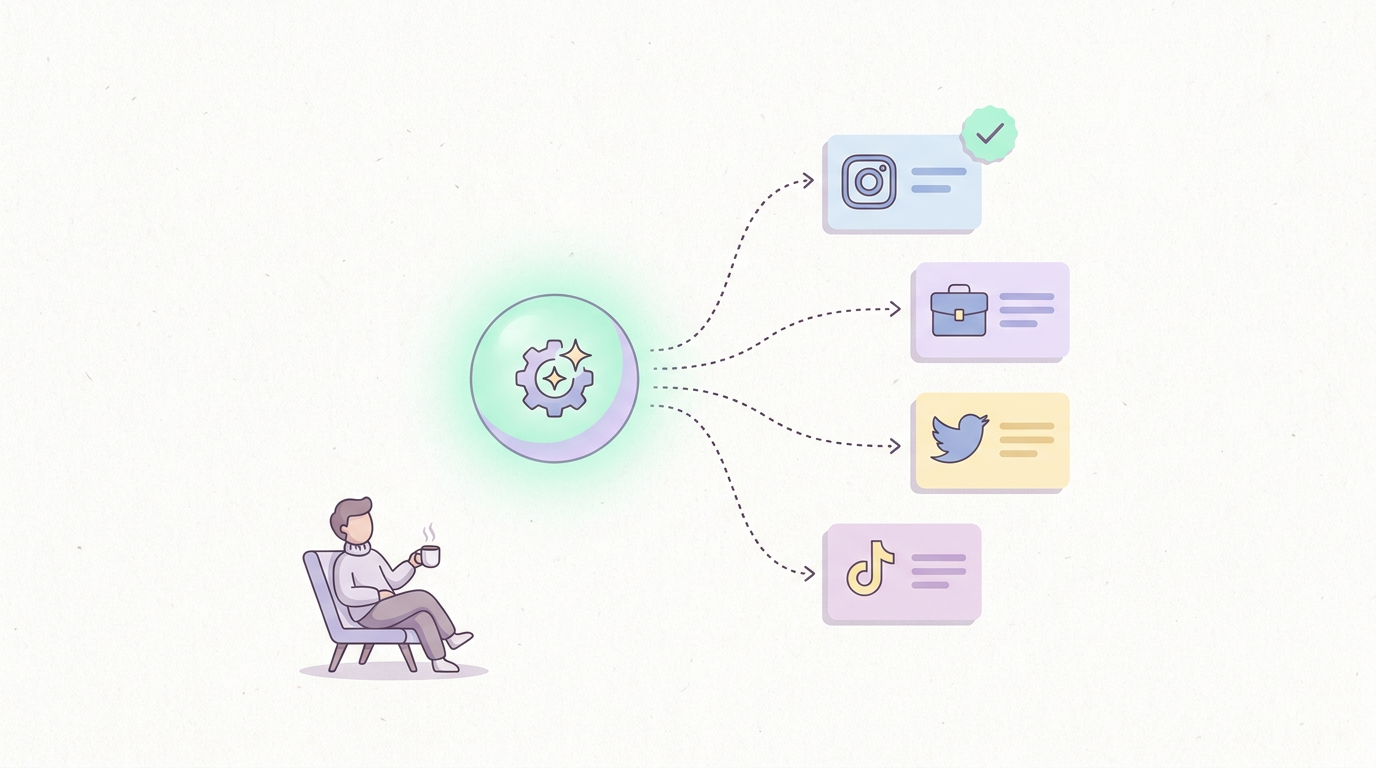
An agent flips that. You give it a goal — "keep our LinkedIn and Instagram active with two posts a week about our product updates" — and it plans the steps, executes them, and checks back with you at the points that matter. The human moves from operator to reviewer.
For social media specifically, this matters because the work is repetitive and time-consuming but not especially high-stakes at each individual step. Writing a caption, resizing a thought for a different platform, queuing it for the right time — these are exactly the kind of tasks an agent can absorb. That's why social media became one of the first practical, mainstream use cases for AI agents rather than a lab demo.
What a Social Media AI Agent Actually Does (vs. an AI Tool)
This is the core distinction, so it's worth being precise.
An AI tool helps a human run the function. An AI agent runs the function.
Most "AI-powered" social media products are AI tools. They bolt a writing assistant onto a scheduler — you click a button, it drafts a caption, you edit and schedule it. The AI is a feature inside a workflow you still operate. Buffer and Hootsuite work this way: solid schedulers with an AI writing helper attached.
A social media AI agent operates differently. You define what you want, and it handles the workflow end to end:
AI tool: suggests a caption when you ask → you review, adapt, schedule, post, and check results yourself
AI agent: generates the content, adapts it per platform, queues it for approval, posts on schedule, and reports back on performance — you step in only to approve or redirect
The practical test: after you set it up, how much of the recurring work still lands on a person? With an AI tool, most of it does. With an agent, most of it doesn't. One adds a button to your existing process; the other replaces a chunk of the process.
6 Tasks a Social Media AI Agent Handles for You
Here's what that looks like concretely — the specific jobs a social media AI agent takes off your team's plate:
Content generation. From a topic, product update, or brief, it writes full posts — not just caption fragments. You give it direction; it produces the drafts.
Platform adaptation. The same idea gets reshaped for each channel — longer and professional for LinkedIn, punchy and visual-first for Instagram, tight for Twitter/X. No manual reformatting.
Scheduling and publishing. It queues content across platforms and posts at the right times, so nothing sits waiting for someone to hit "publish."
Approval routing. Before anything goes live, it surfaces drafts for review. You approve, edit, or decline in one place — the agent holds content until you sign off.
Performance monitoring. It tracks how posts perform and surfaces patterns — what's working, what's flat — rather than leaving numbers sitting in a dashboard you never open.
Optimization over time. The performance signals feed back into what it writes next, so the content improves instead of repeating the same formats.
Add those up and you're describing a role, not a feature. That's the mental model that makes the category click: a social media AI agent is closer to hiring a function than buying a tool.
How to Evaluate a Social Media AI Agent
Not everything labeled "AI agent" actually operates like one. When you're comparing options, judge them on four things:
Content quality. Does it produce posts you'd actually publish, or generic filler you have to rewrite? Test it on your real brand voice and a real topic before committing. If you're rewriting everything, it's an AI tool with an agent label.
Platform adaptation. Does it genuinely reshape content per platform, or just copy the same text everywhere? Real adaptation — tone, length, format per channel — is a key marker of an actual agent.
Approval flow. Is there a built-in review step, or does it either post blindly or dump drafts into a doc? For most SMBs, a clean in-tool approval flow is non-negotiable — you want control without friction.
Analytics that close the loop. Does it just report numbers, or does it use them? The difference between a dashboard and an agent is whether performance data actually changes what gets created next.
If a product scores well on all four, you're looking at a real agent. If it's strong on scheduling but thin on content and approvals, it's a scheduler with AI features — fine, but a different category. Our roundup of social media automation tools breaks down where specific products land on this spectrum.
How to Get Started (Step by Step)
Adopting a social media AI agent is less involved than most teams expect. A practical path:
Step 1 — Connect your accounts. Link the platforms you actually post on — Instagram, LinkedIn, Twitter/X, Facebook, TikTok, whatever's active. This takes minutes.
Step 2 — Set your voice and guardrails. Give the agent your brand tone, topics you care about, and anything it should never say. This is what separates on-brand output from generic AI copy.
Step 3 — Start with a review-everything setup. For the first couple weeks, approve every post before it goes live. It builds trust and lets you correct the voice early.
Step 4 — Let it run, then loosen the reins. Once the output is consistently good, you can approve in batches or let routine posts flow while you review only the high-stakes ones.
Step 5 — Review performance monthly. Check what the agent's surfacing about what works, and adjust your direction. The agent handles the execution; you steer the strategy.
The goal isn't to hand everything over on day one. It's to move from doing the work to reviewing it — gradually, at whatever pace feels safe for your brand.
SureThing: A Social Media AI Agent in Practice
SureThing is a working example of what a social media AI agent looks like for mid-market SMBs — teams with a real, running business and no time to spend hours a week on social posting.
Here's how it maps to the model above:
It writes. Give SureThing a topic, product update, or brief, and it drafts full, platform-native posts — not caption fragments you finish yourself.
It adapts. Each post is reshaped per platform automatically, so LinkedIn reads like LinkedIn and Instagram reads like Instagram.
It routes approvals. Drafts come to you as review cards — approve, edit, or decline in one place. Nothing publishes without your sign-off unless you choose to loosen that.
It schedules and posts. Approved content goes out across platforms on schedule, hands-free.
It monitors. Performance signals feed back into future content, so it improves rather than repeats.
Pricing starts free, with paid plans from $0/month depending on usage — built around AI ops capacity rather than per-seat scheduler pricing. The positioning is deliberate: SureThing is meant to replace repetitive social-media labor, not to be a DIY builder you have to configure from scratch.
If you want the fuller picture of where an agent fits alongside other approaches, the complete guide to social media automation and our take on whether AI can actually run your accounts both go deeper. And if you're weighing agents across your whole operation, not just social, see the best AI agents for small business in 2026.
Frequently Asked Questions
What's the difference between a social media AI agent and a scheduler?
A scheduler queues and publishes content that a person creates. A social media AI agent creates the content, adapts it per platform, routes it for approval, posts it, and monitors results. The scheduler organizes your work; the agent does the work. Many tools now add AI writing buttons to schedulers, but that's still a tool assisting a human — not an agent running the function.
Will an AI agent post without my approval?
Only if you let it. A good social media AI agent has a built-in approval step, so you review every post before it goes live — especially early on. As you build trust in the output, you can loosen the reins and let routine content flow while you review only the higher-stakes posts. You stay in control of how much autonomy it has.
Can a social media AI agent match my brand voice?
Yes, if you set it up right. The quality depends on the guardrails you give it — your tone, your topics, and what to avoid. Spend time on this during setup, review closely for the first couple weeks, and correct the voice early. After that, on-brand output becomes the default rather than something you have to fix each time.
Is a social media AI agent worth it for a small team?
If social content takes your team more than a few hours a week — writing, editing, approving, posting — an agent usually pays for itself quickly by absorbing that labor. If you post rarely or have a dedicated content creator who enjoys owning the process, a simpler scheduler may be enough. The deciding factor is how much repetitive social-media work you're currently doing by hand.