June 23, 2026
Social Media Automation: The Complete SMB Guide (2026)
Social media automation isn't about posting more — it's about reclaiming 10+ hours of admin work weekly. Here's what to automate, what to keep human, and how AI agents now run the full social ops workflow for lean SMB teams.
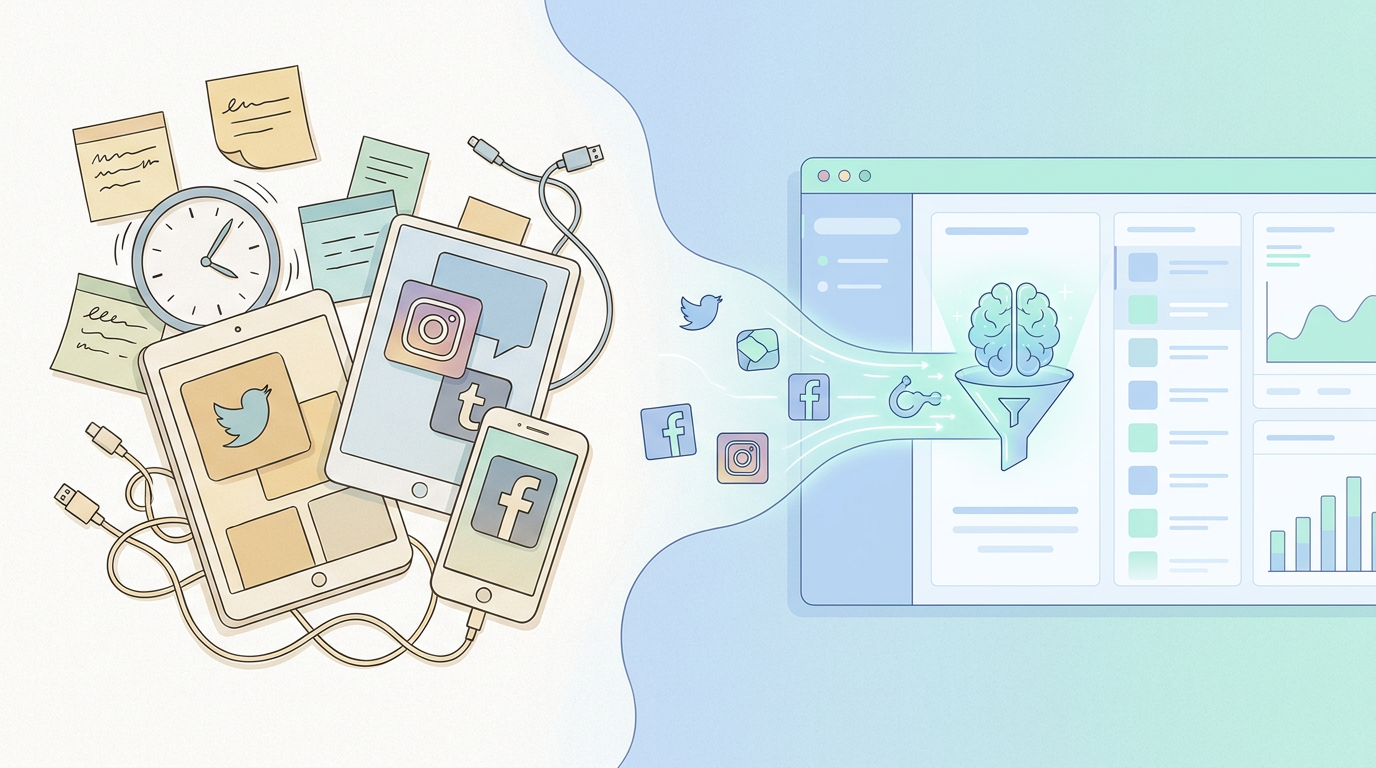
Your social media manager books time. Posts things. Monitors replies. Logs into four platforms. Writes captions. Resizes images. Schedules content two weeks out. Then does it again next week.
That's not strategy. That's administration. And for most small and mid-sized businesses, it's consuming 10–15 hours of labor a week that could go toward actually running the company.
Social media automation is the practice of replacing that repetitive execution layer with systems — and increasingly, with AI agents — so your team handles the judgment calls while software handles the volume.
This guide covers what's worth automating, what isn't, how a modern AI-native workflow looks compared to a manual one, and how to pick the right tool for where your business actually is.
What Is Social Media Automation?
Social media automation is any system that reduces or eliminates manual work in your social media operation. That includes:
Scheduling posts in advance across platforms (Instagram, LinkedIn, X, Facebook)
Auto-publishing content at the optimal time without someone manually clicking "post"
Monitoring mentions, DMs, and comments and triggering responses or alerts based on rules
Repurposing content — taking a blog post and drafting social variants automatically
Reporting — pulling engagement data and generating weekly summaries without opening five dashboards
Early automation was purely rule-based: if-this-then-that logic, fixed schedules, keyword triggers. What's changed in 2026 is the intelligence layer. AI agents can now read context, draft copy in your brand voice, respond to comments with relevant replies, and make judgment calls that used to require a person.
What Should a Small Business Actually Automate?
Not everything should be automated. The mistake most businesses make is over-automating the parts that require human judgment, and under-automating the parts that are pure repetition.
High-ROI automation targets (do these first)
Content scheduling and cross-posting. You approve once; it publishes across platforms at the right time. This alone saves 3–5 hours a week for a team running 4+ platforms.
Routine DM responses. "What are your hours?" "Do you ship internationally?" These have known answers. An AI agent can handle them 24/7 with 100% accuracy — better than hoping someone checks the inbox at 11pm.
Weekly performance reports. Pulling reach, engagement rate, follower growth — this is data assembly, not analysis. Automate the assembly; keep the human for interpreting what to do next.
Content repurposing. Turn a product launch email into five LinkedIn posts, an Instagram caption, and a tweet thread. AI drafts; you approve or edit.
Competitor and mention monitoring. Get a digest instead of watching feeds manually. React when something actually needs a response, not as a background task.
Things to keep human (for now)
Crisis or negative PR responses. Automation on sensitive threads is how brands end up in screenshots. Keep a human in the loop for anything that requires nuance.
Partnership and influencer outreach. These conversations convert on relationship, not speed. Templates help — full automation hurts.
Strategic content ideation. What to say and why is still a human function. AI is excellent at executing, weaker at deciding what's worth saying in the first place.
Real-time reactive content. Jumping on a trending moment requires cultural judgment. Use AI to draft fast, but keep a human approving before it goes out.
Manual vs. Automated Social Media Workflow
Here's what the same weekly workflow looks like with and without automation — for a typical SMB team of 3–5 people running 3 social platforms.
Manual workflow (what most teams still do)
Marketing manager logs into Buffer/Hootsuite on Monday morning, spends ~90 minutes scheduling the week's content
Someone checks each platform's notifications 2–3x daily and routes DMs to the right person
Friday: someone manually exports CSVs from Instagram, LinkedIn, Facebook — 45 minutes to build the weekly report in Google Sheets
When a campaign launches, content gets manually resized and re-captioned for each platform
Community manager handles all comments individually, no triage system
Estimated weekly time cost: 12–18 hours across the team.
Automated workflow (AI agent-driven)
Content calendar lives in one place; agent drafts captions per platform from an approved brief and queues posts for team approval
DMs tagged by intent (support, sales, general) and routed automatically; routine queries answered by the agent, complex ones escalated
Weekly performance digest generated and sent to Slack every Monday morning without anyone pulling data
Campaign assets repurposed into platform variants automatically on publish
Comment sentiment monitored; agent flags anything negative or high-engagement for human review
Estimated weekly time cost: 3–4 hours — mostly approvals and the strategy work that requires a person.
That's 8–14 hours per week returned to the business. For a small team, that's meaningful headcount recovered without adding anyone new.
How AI Agents Handle Social Media End-to-End
Modern social media automation has graduated from simple schedulers to full AI agents that manage the entire operation. Here's what that actually looks like in practice — using SureThing as the example, since it's what we use to run our own social ops.
Step 1: Content brief → draft copy, ready for approval
You brief the agent: "We're launching our new LinkedIn integration this Thursday. Announce it across Instagram, LinkedIn, and X. Tone: direct, no hype."
The agent drafts platform-appropriate copy for each channel — shorter for X, more professional for LinkedIn, image-led for Instagram — and queues all three for your review. You approve, edit, or reject per post. Nothing goes out without your sign-off unless you've explicitly granted it that authority.
Step 2: Scheduling and optimal-time publishing
Approved posts go into the queue with timing recommendations based on your audience's historical engagement data. The agent handles timezone adjustments, platform rate limits, and avoids posting collisions (e.g., two posts on the same platform within 2 hours).
Step 3: Inbox and DM management
The agent monitors your DMs and comment threads. Routine inbound — support questions, pricing inquiries, FAQs — get answered with responses drawn from your knowledge base. Anything ambiguous, negative, or requiring judgment gets flagged with context so a human can respond in under 60 seconds instead of starting from scratch.
Step 4: Performance reporting, delivered to you
Every week, a structured digest lands in your Slack or email: reach, engagement rate, follower delta, top-performing post, and any anomalies (unusual spike or drop). No dashboard logins required. The data comes to you; you decide what to act on.
Step 5: Continuous memory
Unlike a scheduler, an AI agent remembers. It knows your brand voice, your past campaign results, which content formats performed best on which platforms, and what instructions you've given it before. That memory compounds — the longer it runs, the less manual correction it needs.
This is the core difference between traditional social media automation tools and an AI agent: a scheduler executes instructions. An agent learns your operation and starts anticipating it.
ROI and Time-Saved Framing: What It Actually Costs vs. What You Get Back
The business case for social media automation is straightforward once you put real numbers on the labor cost it replaces.
What you're paying today (without automation)
A part-time social media coordinator at $20–$30/hr, working 15 hrs/week: $1,200–$1,800/month
Or a full-time marketing coordinator splitting 40% of their time on social: $1,500–$2,500/month in fully-loaded cost
Plus the overhead: context-switching, onboarding new hires, managing quality, coverage gaps during vacations
What automation costs
A capable AI agent platform capable of handling the full stack (scheduling, DM management, reporting, content drafting) runs from around $30/month at the entry level for a small business, up to $200–$400/month for teams with higher volume or multi-brand needs.
The math is not close. The question isn't whether automation saves money — it does. The question is which parts of the workflow are actually ready to be handed off, and which still need a human in the seat.
What teams actually report saving
8–12 hours/week on scheduling and cross-platform posting
3–5 hours/week on routine inbox and comment management
2–3 hours/week on performance reporting and data assembly
1–2 hours/week on content repurposing
That's 14–22 hours per week — roughly 0.4 FTE — that can either be redirected or eliminated from the payroll entirely.
For a 10-person company, that's a real recovery. For a 3-person company, it's the difference between being able to run social media at all versus ignoring it because nobody has bandwidth.
How to Choose the Right Social Media Automation Tool
The market splits cleanly into three tiers. Which one you need depends on where you are operationally, not how big your ambitions are. See our roundup of the best social media automation tools for a detailed comparison.
Tier 1: Simple schedulers
Buffer, Later, Planoly. Good for: solo operators, early-stage companies, teams that just need to stop posting manually. These are post-and-forget tools — they don't learn, don't respond, don't report intelligently. Starting point, not end state.
Tier 2: Automation platforms
Zapier, Make (formerly Integromat), Hootsuite. Good for: teams that want to build workflows connecting social to other tools (CRM, email, Slack). Powerful but require setup and maintenance. You're the systems architect. See our guide on how to automate social media posting for a workflow-by-workflow breakdown.
Tier 3: AI agent platforms
This is where SureThing sits. AI agents that handle the full social media workflow — drafting, scheduling, inbox management, reporting — without requiring you to build or maintain the automation logic yourself. The agent learns your operation, runs it, and surfaces only what needs your attention.
Best for: SMBs with an established social presence that want to scale output without scaling headcount. Not the right fit for teams still figuring out what to post or who they're talking to. See our guide on social media automation for small business for a more detailed breakdown by business type and team size.
Platform-Specific Automation: Instagram and LinkedIn
Every platform has its own quirks when it comes to automation. Two platforms where SMBs most often ask about automation specifics:
Instagram's API restricts certain automation types (third-party DM automation has a history of policy changes), but scheduling, comment monitoring, and story posting are all supported via official APIs. The highest-ROI automation for Instagram is usually: scheduled feed posts + automated story sequences + comment keyword monitoring with routed replies.
Read our full guide on how to automate Instagram posts without running into API or account issues.
LinkedIn is actually the friendliest platform for B2B content automation. Native scheduling, post series, comment monitoring, and connection follow-up sequences are all viable. The biggest unlock for SMBs is automating the commentary workflow — monitoring industry posts, generating relevant draft replies, and letting a human approve before they go out.
Read our breakdown of LinkedIn post automation for the specific workflow setup.
Common Mistakes SMBs Make with Social Media Automation
Automating before having a content strategy. Automation amplifies volume, not quality. If you don't know what to say, posting more of it faster doesn't help. Lock in your messaging first.
Setting up automation and never reviewing it. Automated posts and replies still need a QA loop. Block 30 minutes a week to review what went out and whether the agent's judgment is aligned with yours.
Choosing a tool for features, not fit. A platform with 200 integrations is not better than one with 10 if those 10 are the ones you actually use. Match the tool to your actual workflow, not the tool's roadmap.
Over-automating responses. Customers can tell when they're talking to a script. Use automation to handle volume and triage; use humans for anything that benefits from real empathy or context.
Ignoring the memory problem. Most schedulers have no memory. They don't know what you said last week, what performed well, or what your brand voice sounds like. If you need automation that compounds over time, you need an agent — not just a scheduler.
What "Best-in-Class" Social Media Automation Looks Like in 2026
The bar has moved considerably. Three years ago, best-in-class meant "reliably schedules posts and doesn't get your account flagged." Today it means:
End-to-end coverage — from content brief to published post to performance report, with minimal human touchpoints
Persistent memory — the system gets better over time because it remembers your brand, your results, and your preferences
Human-in-the-loop where it matters — approval gates on anything that represents the business externally; full autonomy on data assembly and scheduling
Cross-platform intelligence — not just posting the same thing everywhere, but adapting content by platform context and audience
Proactive surfacing — you don't check in on the system; the system flags what needs your attention and does everything else on its own
This is what an AI agent platform like SureThing is designed to deliver. You install it, connect your platforms, and it starts running your social operations as a persistent member of your team — not a tool you configure once and babysit forever.
The goal isn't to remove humans from social media. It's to remove humans from the parts of social media that don't require humans. The judgment layer, the strategy, the relationships — those stay with your team. The administration layer, the scheduling, the inbox triage, the data assembly — those belong to the machine.
For a mid-market SMB running on a lean team, that's not a nice-to-have. It's how you stay competitive without hiring your way there.
If you're evaluating platforms, check our roundup of the best social media schedulers for a comparison across the major tools, or jump straight to our guide on social media automation for small business for a scenario-specific breakdown.