August 29, 2026
What an AI Agent Actually Does in a Day (2026)
Mostly watching, not writing. An hour-by-hour look at what a working AI agent spends its day on inside a small business, and exactly where a human still has to say yes before anything goes out.
The Short Answer
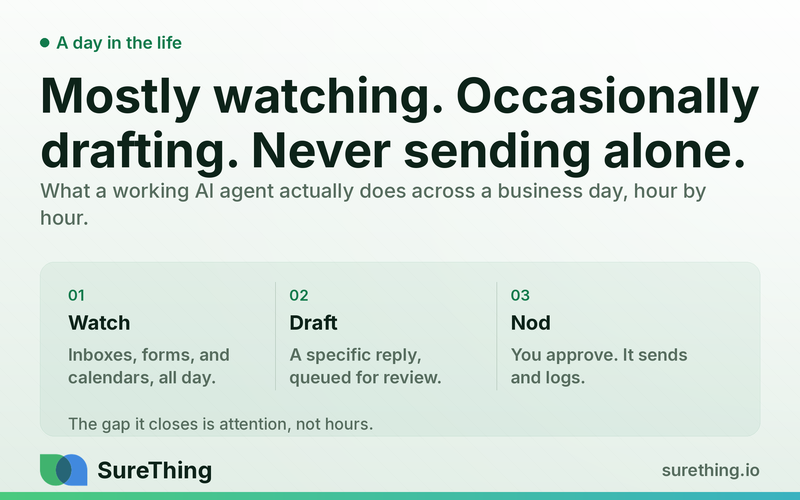
An AI agent's day is mostly reading, not writing. It spends most of its time watching inboxes, forms, and calendars for something that needs a reaction, and only a small fraction of that time actually drafting or acting — and even then, the moment that matters most (sending, publishing, changing a record) usually waits for a person to say yes. A day in the life of a working agent looks less like a robot doing your job and more like a very attentive junior assistant who never sleeps, never forgets, and never sends anything without asking first. What follows is a realistic hour-by-hour picture of that day, built from the same loops covered elsewhere in this series — lead follow-up, back-office cleanup, and local SEO checks — running side by side rather than one at a time, and none of it depends on the owner remembering to press start each morning or babysit it once it's running.
Takeaways:
Most of an agent's day is watching — checking inboxes, calendars, and forms for a trigger — not generating content. The generation step is short; the watching step runs continuously.
The agent's actions split into three tiers by risk: things it can just do (read, summarize, log), things it drafts and waits on (send an email, post a reply), and things it never touches (anything irreversible or judgment-heavy).
A single agent typically runs several of these small loops in parallel across a day — lead follow-up, calendar triage, report generation — not one giant task.
The value isn't that the agent works 24 hours; it's that the gap between something happening and someone competent noticing shrinks from hours to minutes, for every loop it watches.
What "A Day" Actually Looks Like, Hour by Hour
Before Anything Visible: What Set the Loops Up
Before any of the hour-by-hour work below happens, someone had to decide which inbox, which form, and which calendar the agent watches, and where its drafts land for review. That setup is a one-time human decision, not a daily one — the agent doesn't wake up and choose its own scope. Everything that follows in a normal working day happens inside the boundaries that setup drew, and widening those boundaries later is also a decision someone makes on purpose, not a drift that happens on its own.
Morning: Triage, Not Generation
The first hours of an agent's working day, whenever it starts watching, are mostly triage. New emails since the last check get sorted — which ones are a customer question, which are a vendor invoice, which need nothing at all. A calendar gets scanned for conflicts or a meeting that needs prep notes pulled together before the owner sits down. None of this produces a visible deliverable; it produces a shorter list of things a human actually has to look at, which is most of the value before lunch. This part of the day rarely fails loudly — it fails quietly, by an agent that triages inconsistently and lets something urgent sit at the bottom of a sorted list because it was misread as routine.
Midday: Drafting for Approval
This is where most of the visible work happens — replying to a lead who filled out a form, drafting a follow-up to a client who went quiet, putting together the first draft of a report that's due at end of week. Every one of these drafts lands in a queue, not an outbox. A software agent, in the general sense the term has always carried, is a computer program that acts for a user in a relationship of agency — it has the authority to decide what action is appropriate, but "appropriate" for a first contact with a stranger or a public post still means putting a draft in front of the person it's acting for, not skipping straight to done. The drafts themselves get sharper over a few weeks of the same loop running, simply because every edit a human makes to a draft is more specific context for the next one.
Afternoon: The Approval Loop Runs Both Ways
By afternoon, a human is usually clearing the queue from the morning and midday — approving some drafts as-is, editing others, rejecting a few outright. Every rejection or edit is signal, not just a task completed: it tells the agent's owner whether the drafting is getting better or sliding, and it's the mechanism that decides whether a given loop earns lighter oversight later or needs to stay tightly reviewed. This is the actual definition of an human-in-the-loop system: human input remains essential precisely at the points where getting it wrong is expensive, even as more of the surrounding work gets automated.
End of Day: Logging, Not Disappearing
The parts of the day that never produce a card or a draft — logging that a follow-up happened, updating a record, noting that a lead went quiet for the third day running — are the ones that make tomorrow's triage accurate. An agent that drafts well but doesn't log consistently just produces the same recommendations twice, which erodes trust faster than an occasional bad draft does. This is also usually the point in the day where a scheduled routine — a daily checklist, a weekly report — quietly runs and produces something for the next morning's review queue, rather than needing anyone to remember to kick it off.
The Runnable Flow Underneath a Day
Zoomed out, the whole day is the same five-stage loop running many times, on different triggers, at different hours. It helps to picture this as several thin threads running side by side rather than one thick task list processed top to bottom — a lead-follow-up thread, a calendar thread, a reporting thread — each waiting on its own trigger and only occasionally needing the same person's attention at the same moment. None of the threads pause the others; a slow morning on the calendar thread doesn't hold up an afternoon's worth of lead drafts.
Stage | What Happens Across the Day |
|---|---|
Trigger | An email lands, a form submits, a calendar event is created or moved, a scheduled check-in time arrives. |
System reads | The agent pulls the relevant context for that specific trigger — the message text, the sender's history, what's already been said or scheduled. |
Agent acts or drafts | Low-risk, reversible actions (reading, summarizing, logging, flagging) happen without asking. Anything that sends, publishes, or changes an external record gets drafted and queued instead. |
Human approves | A person reviews the queue — often in one sitting, a few times a day rather than reacting to each item as it lands — and approves, edits, or rejects. |
Routine | Approved actions execute and get logged; rejected ones feed back into how the next draft on that topic gets written. |
Where the Human Still Has to Nod
The rule that holds the whole day together is simple: reversible and low-consequence actions can run without a human in the moment, and anything irreversible, external-facing for the first time, or judgment-heavy waits for a person. An intelligent agent is generally defined as an entity that perceives its environment and takes actions autonomously to achieve goals — autonomy over perceiving and deciding what to recommend is exactly the part that's safe to leave running; autonomy over sending, publishing, or spending is the part that should not be, at least not without a track record proving the drafts hold up.
That track record is also why not every step of the day should be a fixed script versus a dynamic model call from day one. Anthropic's framing of the distinction — workflows follow predefined code paths, agents dynamically direct their own process — argues for starting most daily loops as the tighter, more predictable form and only loosening a step into more autonomous territory once its output has been checked, edited, and approved enough times that the pattern is proven, not assumed.
Boundaries: What Runs Unattended, What Needs a Nod, What Never Automates
Can run unattended: reading and summarizing inboxes, flagging items that need attention, logging completed follow-ups, pulling meeting prep notes together, watching for calendar conflicts.
Needs a human nod every time: sending any message to a customer or lead for the first time, publishing anything public-facing, changing a calendar invite that involves other attendees, any reply that touches pricing or a commitment.
Never automates: the actual decision to extend credit, waive a fee, or make an exception; any judgment call that depends on context the agent can't see (a relationship history, a verbal agreement made on a call); anything in a regulated area — legal, medical, tax, financial advice.
None of these boundaries are permanent settings baked in on day one — they're the current answer to "how much do we trust this loop today," and that answer is expected to move as the log of approved-versus-rejected drafts accumulates. What should never move is who makes that call: it stays a human decision, made by looking at actual outcomes, not a configuration the agent adjusts about itself.
FAQ
Does the agent work continuously, or does someone have to run it? It watches continuously once set up — the trigger is the event (a new email, a form submission), not a person remembering to check. The human's job shifts from "notice things" to "review what's already been noticed and drafted."
How much of the day is actually spent "doing" versus watching? Mostly watching. A useful mental model: if a business owner watched every inbox and form all day themselves, they'd spend 90% of that time seeing nothing worth acting on. The agent absorbs exactly that 90%, so the owner's attention goes to the 10% that's a real decision.
What if the agent's draft is consistently wrong on one type of task? That's the clearest signal to pull that task back under tighter review rather than tune it in place — a pattern of misses on the same kind of draft means the context it's working from is probably incomplete, not that the wording needs another pass.
Can this run across multiple channels at once? Yes — the loops for lead follow-up, calendar triage, and reporting typically run in parallel rather than one at a time, each on its own trigger, converging on the same approval queue so a person isn't switching between five separate tools to review them.
Does the agent ever decide something is too risky and stop on its own? A well-built loop should — if the context it needs is missing, or the situation doesn't match anything it's handled before, the right behavior is to flag it for a human rather than guess and act. An agent that always produces an answer, confident or not, is more dangerous than one that sometimes says it doesn't have enough to go on.
Does the agent need to be told what to do every morning? No — once a loop is set up on a trigger, it keeps running on its own until someone pauses it. The daily "instruction" is really just the accumulated approvals and edits from the day before, which is why the drafts tend to get more specific to the business over time rather than staying generic.
Getting Started
The best way to see what a day actually looks like is to point the agent at one channel — one inbox, one form — and watch the queue it produces for a week before adding a second. Businesses already running automated follow-up on a specific channel or a daily automated checklist tend to describe the same thing: the work didn't disappear, but the part that used to eat the whole morning now takes a few minutes of review, and the rest of the day started somewhere else. The measure of a good week isn't how many drafts got auto-approved — it's how few things that mattered sat unnoticed until someone happened to check. Watch that number for a week, on one channel, before deciding what the agent's second day of the week should cover.