September 9, 2026
Google Ads for Contractors: Getting Paid Leads Without Wasting Budget on Tire-Kickers
Contractor ad accounts rarely fail on clicks - they fail on budget bleeding to out-of-area searchers and browsers. A workflow for call tracking, negative-keyword hygiene, and geo-bid discipline, with the owner approving every spend change.
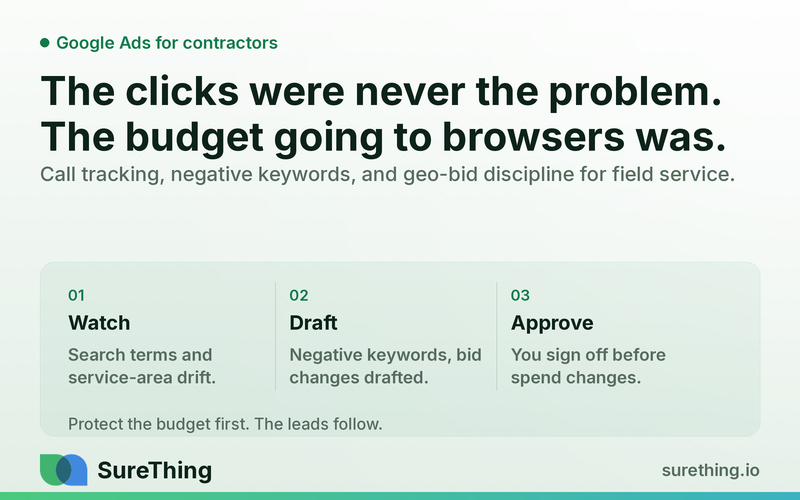
Google Ads works for contractors when the money is protected from the clicks that never had a chance of becoming a job — out-of-area homeowners, DIY researchers, competitors, and people three months away from budgeting for a new roof. The fix isn't more spend or fancier keywords; it's a weekly discipline of call tracking, negative-keyword cleanup, geo-bid limits, and lead triage that a busy owner can approve in minutes, not hours. Get that discipline in place and the same budget starts producing fewer, better phone calls instead of more, worse clicks.
Key Takeaways
Contractors rarely have a "not enough clicks" problem — they have a "wrong clicks" problem, and Google Ads' default settings are built to spend, not to protect your service radius.
Call tracking matters more than click tracking, because most high-value contractor leads still convert on the phone, not the form.
Negative keywords and geo-bid adjustments need a standing weekly review, not a one-time setup — search terms and service areas drift constantly.
Emergency jobs (burst pipe, no heat, storm damage) and planned jobs (kitchen remodel, new HVAC install) behave completely differently in the auction and need to be treated as separate campaigns, not one blended budget.
The owner should stay the approver on budget and bid changes — automation should draft the recommendation, not silently move the money.
A repeatable weekly routine (not a one-time audit) is what separates contractors who scale ad spend profitably from ones who quietly bleed budget for a year.
The Real Bottleneck: Budget Isn't the Problem, Waste Is
Most contractors who feel Google Ads "isn't working" aren't actually short on leads. They're short on qualified leads, and the gap between those two things is where the budget disappears. A roofing company running search ads in a mid-size metro will routinely see clicks from homeowners forty miles outside the service area, renters who can't authorize a $15,000 project, people searching "how to fix a roof leak myself," and — quietly — competitors and job-seekers clicking on ad copy that mentions careers or pricing.
None of that shows up as an obvious problem in the Google Ads dashboard. It shows up as a slowly rising cost-per-lead and an owner who starts to distrust paid search entirely, sometimes pulling the plug right before the campaign was about to mature. The dashboard tells you clicks and conversions; it doesn't tell you that the "conversion" was a phone call that lasted eleven seconds because the caller was outside your 25-mile service radius.
The second layer of the bottleneck is time. A contractor who owns the business is also usually the one who'd have to log into Google Ads, cross-reference call recordings, build negative keyword lists, and adjust bids by zip code — after a full day on job sites or in the truck. That work gets deprioritized, and the campaign runs on autopilot with whatever settings were set up at launch, often six or twelve months ago, long after the service area, crew capacity, or seasonal demand shifted. This is a different problem than the one covered in organic local search visibility for contractors — paid budget bleeds in real time, dollar by dollar, whereas organic ranking issues cost you opportunity more slowly. Both matter, but paid waste is the one draining a checking account this month.
There's also a structural issue specific to field service that generic Google Ads advice ignores: emergency and planned jobs don't behave the same way in the auction. Someone searching "emergency plumber near me" at 11 p.m. is ready to book now, price-insensitive, and often calling three companies at once — bid aggressively, respond fast, or lose the job entirely. Someone searching "bathroom remodel cost" is in a research phase that might last weeks. Treating those two searchers with the same bid strategy, the same landing page, and the same follow-up speed is a quiet but constant source of wasted spend.
A Runnable Workflow for Contractor Lead Quality
Below is a workflow structured the way SureThing agents actually operate: something triggers the check, the agent reads the relevant data, drafts recommendations or routine actions, a human approves anything that touches money or public-facing copy, and the whole thing repeats on a schedule instead of happening once and being forgotten.
Trigger
The workflow can start from a few natural events: a new billing cycle beginning, a spike or drop in call volume, a seasonal shift (first cold snap for HVAC, first spring storm for roofing), or simply a standing weekly schedule — every Monday morning before the owner starts the week. For emergency-service categories, a same-day trigger also makes sense: if call volume from ads spikes suddenly, that's worth a same-day check rather than waiting for the weekly cycle.
Read
Before any change is drafted, the agent reads what's actually happening: the search terms report (what people typed before clicking), the geographic performance report (which zip codes and radii are producing calls versus which are just spending), call tracking data and call duration/outcome tags if available, current bid adjustments by location and time of day, and recent conversion data broken out by campaign — emergency versus planned, if those are split. This is the same category of data pulled for ongoing Google Ads performance monitoring, applied specifically through a contractor lens: service radius, job type, and seasonality rather than generic ecommerce metrics.
Does
With that data read, the agent does the drafting work that would otherwise eat an owner's evening: it drafts a negative-keyword list from search terms that clearly indicate DIY intent, out-of-trade searches, job-seeker intent, or competitor names; it drafts geo-bid adjustment recommendations for zip codes or radii that are spending disproportionately without producing calls; it flags call patterns worth reviewing, such as a rising share of very short calls or calls tagged as out-of-area; and it can draft an updated ad copy variant when a service area or seasonal offer needs to change (e.g., swapping "furnace tune-up" copy in for AC copy as fall approaches). None of this touches live spend on its own — it produces a clear, short list of recommended changes with the reasoning behind each one.
Nod
This is where the owner stays firmly in control. Budget increases or decreases, bid changes, adding or removing negative keywords, and any change to ad copy or landing pages go to the owner as a short approval list — not a dashboard they have to dig through, but a plain-language summary: "These 14 search terms triggered your ads this week and look unrelated to your services — recommend adding as negatives," or "This zip code spent $310 with zero calls over 30 days — recommend a bid reduction." The owner approves, edits, or rejects each item. Nothing about ad spend should ever move silently, and that's true whether the campaign is being managed by an agency, an in-house employee, or an automated workflow.
Routine
The habit that actually protects budget is the recurring one. A weekly negative-keyword and geo-bid review, paired with a monthly deeper look at seasonal shifts and lead-quality trends, turns this from a one-time cleanup into standing hygiene. Over a full season, that routine is what prevents the slow drift back into wasted spend that happens the moment nobody's watching the search terms report. It's a smaller, more frequent version of the same discipline described for phone-first lead tracking in other service industries — the details differ by trade, but the principle of protecting the phone call as the real conversion event carries over.
Manual vs. Automated: Where the Time and Risk Actually Sit
Task | Manual (owner or overworked employee) | Automated with owner approval |
|---|---|---|
Reviewing search terms for negative keywords | Happens sporadically, often only after a bad month is noticed | Reviewed weekly, negatives drafted and presented for quick approval |
Adjusting bids by service area/zip code | Set once at campaign launch, rarely revisited | Flagged when spend/performance shifts, adjustment drafted for approval |
Distinguishing emergency vs. planned-job leads | Lumped into one campaign and one budget by default | Tracked and reported separately so bidding logic can differ by job type |
Call quality tracking | Owner listens to a handful of calls if time allows, most go unreviewed | Call outcomes and durations reviewed systematically, patterns surfaced weekly |
Budget/bid decision authority | Either the owner does it all, or it's fully outsourced with little visibility | Recommendations drafted by the agent, final decision always made by the owner |
Boundaries: What Should and Shouldn't Run on Autopilot
Can run unattended
Pulling and organizing search term reports, geographic performance data, and call volume/duration data on a schedule can run without daily human involvement — it's read-only monitoring, not a decision. Drafting negative-keyword lists, drafting bid-change recommendations, and compiling a weekly lead-quality summary can also run unattended, since these are proposals, not live changes. This is the same monitoring logic that powers broader lead generation tracking across channels — it works quietly in the background and produces something for a human to look at.
Needs a human nod
Anything that touches actual money — increasing or decreasing daily budget, changing bids, pausing or launching a campaign, adding negative keywords that could exclude legitimate searches — needs explicit owner approval before it goes live. Ad copy and landing page changes need a nod too, since wording choices (guarantees, pricing language, service-area claims) carry real business and reputational weight. Seasonal campaign shifts (turning on storm-response ads, ramping HVAC ads before a heat wave) should be flagged and approved rather than triggered automatically, since the owner knows crew capacity in a way no dashboard does.
Should never be automated
Final pricing, contract terms, warranty language, and anything that reads like a licensing, insurance, or legal claim in ad copy should never be generated or published without a licensed professional or the owner personally reviewing it — this is business marketing support, not legal, insurance, or financial advice, and it shouldn't be treated as a substitute for a licensed advisor on those matters. Similarly, decisions about crew scheduling capacity — how many jobs the business can actually take this week — belong to the owner and dispatcher, not to an ad platform's automated bidding, since overselling capacity to win the auction creates a service problem far bigger than a wasted click ever would.
FAQ
Is Google Ads worth it for a small contractor with a limited budget?
It can be, but only once the budget is protected from out-of-area clicks, DIY searchers, and unqualified traffic — a small, well-targeted budget with tight geo-bidding and negative keywords usually outperforms a larger budget running loosely, and WordStream's 2026 Google Ads benchmark report, which tracks cost-per-click, conversion rate, and cost-per-lead across more than a dozen industries, is a reasonable starting point for setting realistic expectations before committing spend.
How is Google Ads different for emergency services versus planned projects?
Emergency searches (burst pipe, no A/C in summer, no heat in winter) convert fast, are less price-sensitive, and reward speed of response, while planned-project searches (remodels, replacements) involve longer research windows and more form fills than calls — running both under one undifferentiated campaign usually means one type quietly starves the other of budget.
Do I need call tracking if I already track form submissions?
Yes, almost always — for most contractor trades the phone call remains the primary conversion event even when a form exists, and without call tracking tied back to the specific ad and keyword, there's no way to know which spend is actually producing real, qualified conversations.
How often should negative keywords and geo-bids actually be reviewed?
Weekly is the realistic minimum for an active campaign — search term drift and service-area performance shift often enough that a monthly-only review lets weeks of wasted spend accumulate before anyone notices, which is one reason ongoing performance monitoring, rather than a one-time setup, tends to correlate with better lead quality over time — the same underlying pattern WordStream's account-performance study found across small-business PPC accounts generally: unmanaged accounts leak a meaningfully larger share of budget than ones reviewed on a regular cadence.
Can this workflow replace a Google Ads agency or in-house marketer?
Not necessarily — it's designed to make whoever is managing the account (agency, employee, or owner) faster and more disciplined about the recurring hygiene work, while keeping the owner as the final approver on anything involving budget, bids, or public-facing copy.
Getting Started Without Overhauling Everything at Once
None of this requires ripping out an existing campaign or hiring a full-time marketing person. It starts with getting visibility into what's actually happening — which search terms are triggering ads, which zip codes are producing real calls, and which leads are emergency versus planned — and then building a small, repeatable weekly habit around that visibility. SureThing's approach is built around exactly that kind of standing workflow: an agent that reads the data every week, drafts the negative keywords and bid recommendations, and hands the owner a short list to approve, rather than a dashboard that requires hours of independent digging. If Google Ads has felt like a leaky bucket rather than a lead source, the fix usually isn't a bigger budget — it's tighter weekly discipline around where that budget is allowed to go.