August 27, 2026
Back Office Automation: The Four Loops a Small Business Should Hand Over First (2026)
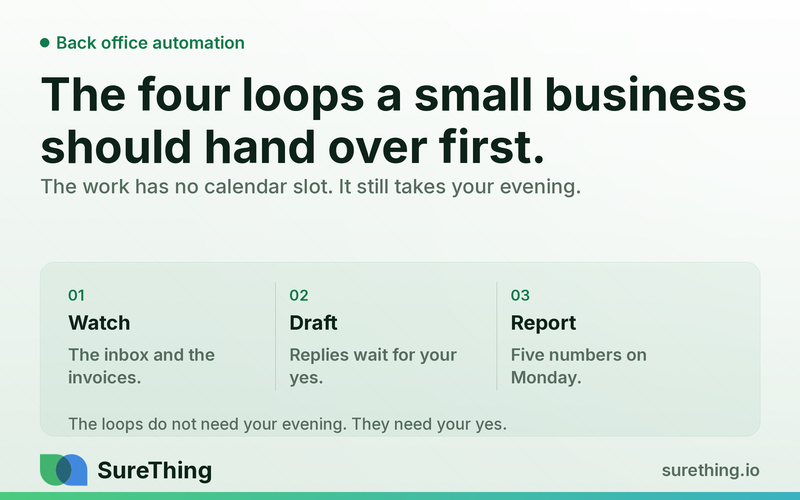
Back office work is the work with no calendar slot: the inbox, the unpaid invoices, the empty appointment, the numbers nobody pulled. Four loops carry almost all of it, and only two of them are safe to hand over completely.
Key takeaways
Back office work is the work with no calendar slot. Nobody books "chase the three unpaid invoices" at 9pm, and that is exactly why it eats the evening.
Four loops carry almost all of it in a small business: inbox triage, money you already earned, scheduling and confirmations, and the weekly numbers.
Automate the watching and the drafting. Keep the sending, the pricing, and the apologising. A machine that watches an inbox is useful; a machine that answers a refund request under your name is a liability.
Judge it on days-to-notice, not on hours-saved. Hours-saved is unmeasurable and everyone lies about it. "How long did an unpaid invoice sit before anyone noticed" is a real number.
Start with one loop for two weeks. If you cannot name what changed at the end of it, the second loop will not help.
The work that never shows up on your calendar
Ask an owner what they did last week and you get the front-of-house answer: two sales calls, a quote, a supplier problem, an interview. Ask what they did after seven o'clock and the answer changes shape. Answering the emails that arrived during the calls. Working out which invoices are late. Rebooking the customer who cancelled Thursday. Putting numbers into a spreadsheet so Monday's decision has something to stand on.
That second list is the back office. It has three properties that make it the worst possible use of an owner's evening. It is repetitive, so it does not get better at being done by a person. It is invisible, so nobody thanks you for it and no calendar shows it. And it is unbounded — there is no version of "the inbox is finished".
The financial version of this problem is well documented. The Federal Reserve's annual Small Business Credit Survey keeps landing on the same finding year after year: paying operating expenses and managing cash flow sit among the most common operating challenges small employer firms report. Most of that pressure is not a pricing problem. It is a timing problem — money earned in week one that nobody chased until week five.
Back office automation is the practice of handing those loops to something that runs whether or not you are awake, while keeping every decision that carries your name on it. That second half is the part most tool comparisons skip, and it is the part that decides whether this works.
What "back office" actually means when there are five of you
In a large company, back office means a department: finance, HR, ops, admin. In a five-person business it means a drawer of unlabelled jobs that fall to whoever cares most, which is usually the owner.
Concretely, it is: reading and sorting the shared inbox; drafting the replies that are the same eight replies; sending the invoice; noticing the invoice was not paid; chasing it; confirming tomorrow's appointments; filling the slot when someone cancels; filing the receipt; and pulling together the handful of numbers that tell you whether last week was good.
Notice what is not on that list. Nothing there requires judgment about price, scope, or relationship. That is the tell. The work worth handing over first is the work where the right answer is already known and the only cost is that somebody has to go and do it. We wrote about how to choose that first candidate in how to pick the one thing to automate first — the short version is to pick the loop that is already annoying you, not the one that would look most impressive automated.
Loop one: the inbox that sorts itself and drafts the obvious replies
Most shared inboxes are a queue with no priority. Forty messages arrive, six matter today, and finding those six is a fifteen-minute reading job that has to happen several times a day because the queue keeps refilling.
The loop has two halves, and they carry different risk.
Triage is pure reading: which of these is a new enquiry, which is a customer waiting on us, which is a supplier, which is a receipt that needs filing, which is nothing. Getting this wrong costs you a re-sort. It is safe to automate completely. If you have never done even the manual version, Gmail's own filters and labels already do a crude pass for free, and it is worth doing that first so you can see what the categories actually are in your business.
Drafting is different. Eight replies cover most of a small business's inbox: the price question, the availability question, the "can you do X too" question, the where-are-you question, the reschedule, the receipt acknowledgement, the supplier confirmation, and the polite no. A machine can write all eight in your voice from your own past replies. What it should not do is send them.
So the running shape is: everything gets read and sorted continuously, and replies arrive in a queue as drafts with your name on them, waiting for a yes. You go from writing forty replies to approving twelve and writing three. That is the actual change — not "AI answers your email", which is a promise nobody should accept.
This is a loop SureThing runs today as email triage with drafted replies, and it is the one we would start almost any small business on, because the evidence arrives within a day.
Loop two: chasing money you have already earned
This is the loop with the fastest payback and the least glamour. The job is not accounting. The job is noticing.
An invoice goes out on the 3rd, is due on the 17th, and on the 24th nobody has looked. Not because anyone is careless — because looking requires opening the accounting tool, sorting by date, and cross-checking against the bank, and that is a ten-minute job that has no trigger. So it happens when cash gets tight, which is the worst possible time to discover it.
Automated, the loop is dull and effective. Every morning, compare what is owed against what has arrived. Anything past due by a set number of days gets a reminder drafted — polite, specific, with the invoice attached and the amount and date in the first line. Anything past due by a longer stretch gets escalated to you as a decision, because at that point the question is about the relationship, not the paperwork.
Two rules make this safe. First, the reminder is a draft until you approve it, at least for the first few weeks — the tone of a payment chase is a business decision and you need to see what is going out. Second, there is an exclusion list. Every business has two or three accounts that get handled personally, and an automated nudge to one of them costs more than the invoice.
Loop three: the slot that nobody filled
If your business runs on appointments, the back office job is confirmations and gaps.
Confirmations are the easy half: a reminder goes out a day ahead, a reply comes back, the ones that do not reply get flagged. This measurably reduces no-shows for the simple reason that most no-shows are people who forgot, not people who changed their minds.
Gaps are the interesting half. When Thursday at two opens up, the value of that slot decays by the hour. The manual version requires someone to notice the cancellation, remember who wanted an earlier appointment, and message them — three steps that only happen if someone is at a desk. Automated, the cancellation is the trigger: the waitlist gets checked, a message goes to the two or three people who asked for exactly that window, and the first yes takes it.
We have written up the appointment-heavy version of this loop in detail for one industry in dental marketing automation and new-patient follow-up. The mechanics transfer to any business that sells time: clinics, salons, studios, trades, consultants.
Loop four: the five numbers on Monday
Every owner has a reporting habit that fails the same way. You build a dashboard, look at it daily for a week, then stop opening it — and it keeps being technically correct and completely unread.
The version that survives is a short digest that only shows what changed. Five numbers, one line each, delivered as a message on Monday morning: what came in, what went out, what is overdue, how many enquiries arrived and how many got answered, and one number specific to your business. No charts. No trend lines. Anything that needs a chart needs a conversation, not a report.
The test is whether you read it. If a report gets skimmed and closed for three weeks running, it is the wrong report, and the fix is fewer numbers rather than better formatting.
What the machine does, and what stays yours
This is the table worth arguing with your own business about. The left column is safe to hand over completely. The right column should stay a human decision even when the machine could technically do it.
Loop | Machine owns | You still decide |
|---|---|---|
Inbox | Reading, sorting, labelling, drafting the standard replies | Sending anything about price, scope, complaints, or bad news |
Invoices | Watching what is owed vs. paid, drafting reminders, flagging escalations | Whether to chase a specific client, and what to do at sixty days |
Scheduling | Confirmations, reminders, waitlist matching, gap alerts | Who gets squeezed in, and which appointments you will not take |
Reporting | Pulling the numbers, spotting the ones that moved, writing the digest | What the numbers mean and what changes because of them |
All four | Never sleeping, never forgetting, never getting bored | Anything a customer would read as coming from you personally |
The pattern across the whole table: automate the watching and the drafting, keep the sending and the deciding. Every genuinely bad outcome we have seen in this category comes from crossing that line — usually an automated message that was technically correct and completely wrong for the relationship.
A worked example, end to end
The numbers below are a worked example, not a client case — the point is the shape of the change, and the arithmetic is yours to redo with your own figures.
Take a five-person plumbing business. Two vans, one person on the phone, the owner quoting and running the job board. Around sixty inbound emails a week, about thirty invoices out per month, average invoice a few hundred dollars.
Before: the shared inbox gets read three or four times a day, roughly fifteen minutes a pass. Invoices get reviewed when someone remembers, so late ones typically sit two to four weeks before a first chase. Cancellations mostly leave a hole because nobody has time to work a waitlist. Weekly numbers exist in the owner's head.
After one loop — inbox only, for two weeks: messages are sorted continuously and the standard replies wait as drafts. The owner's evening reading job becomes an approval pass. The number that moves first is not hours saved; it is time to first reply on a new enquiry, which goes from "whenever the inbox got read" to under an hour during the working day.
After the second loop — invoices: the first run surfaces everything already overdue, which is usually an uncomfortable morning. From then on, days-overdue-before-first-chase drops to the threshold you set, because the noticing no longer depends on anyone remembering.
These are the five numbers worth watching, in the order they move:
Time to first reply on a new enquiry. Moves within a day of loop one.
Days overdue before first chase. Moves the first morning loop two runs.
Percentage of cancelled slots refilled. Slower, and the most seasonal.
Enquiries answered vs. arrived. The one that quietly exposes weeks where things were dropped.
Whether you read Monday's digest. Not a business metric. It is the honest test of whether any of this stuck.
Two weeks per loop is enough to see the first three move. If nothing moves, the loop was wrong for your business and the correct response is to stop, not to add a fifth.
Where this breaks
Four failure modes, all of them ours to admit rather than yours to discover.
Automating a broken process. If your invoices are late because the job details are wrong, faster chasing produces faster arguments. Fix the upstream thing first.
Turning on everything at once. Four loops on day one means four things to debug simultaneously and no idea which one produced the change. One loop, two weeks.
Letting drafts send themselves too early. The temptation arrives around week three, when the drafts have been good for a while. Keep approval on anything a customer reads until you have seen a month of them, and keep it permanently on price, complaints, and bad news.
Regulated and professional judgment. Anything that shades into legal, tax, medical, or insurance advice does not belong in an automated reply under any circumstances. Draft it, route it to the person qualified to sign it, and leave it there. Our own scope stays in business operations, marketing, comms, and admin — that is a boundary we hold to deliberately.
FAQ
Is this the same as workflow automation with triggers and steps?
Overlapping, but not the same. Trigger-and-step tools are good at deterministic handoffs: this happened, do that. Back office work is mostly reading unstructured things — an email, an overdue list, a cancellation — and deciding what matters. The reading is the hard part and it is what an agent adds on top of plumbing.
Do I need my accounting and calendar tools connected first?
For loops two and three, yes — the data has to come from somewhere real. Loop one only needs the inbox, which is why it is almost always the right place to start.
How is this different from hiring a part-time admin?
It is not a replacement, and anyone claiming otherwise is selling. A part-time admin exercises judgment, handles exceptions, and talks to people. What these loops remove is the portion of that role that is pure vigilance — the noticing and the first draft. We wrote about that division more fully in what an AI employee actually takes off your plate.
What if my back office is one person who already has a system?
Then start with loop four. A working system usually still reports by pulling numbers manually, and that is the cheapest thing to hand over without disturbing anything that already works.
Next step
Pick one loop. If you have a shared inbox, pick that one. Write down today's number for the one metric it should move — time to first reply, or days overdue before first chase — because in two weeks you will not remember what it was and the whole judgment depends on it.
Then run it for two weeks and change nothing else. In SureThing, that is an agent watching the inbox continuously, sorting what arrives, and leaving drafted replies in a queue for your approval — it does not send on your behalf unless you tell it to. Same pattern as the daily checklist we described for local SEO monitoring: the machine watches every day, and you keep the yes.