September 9, 2026
How to Get AI to Build Your Weekly SEO Report Automatically
A standing weekly SEO report beats checking Search Console when you remember to. Here's what an agent pulls automatically, what it has to interpret, and where a human checks a number before it goes out.
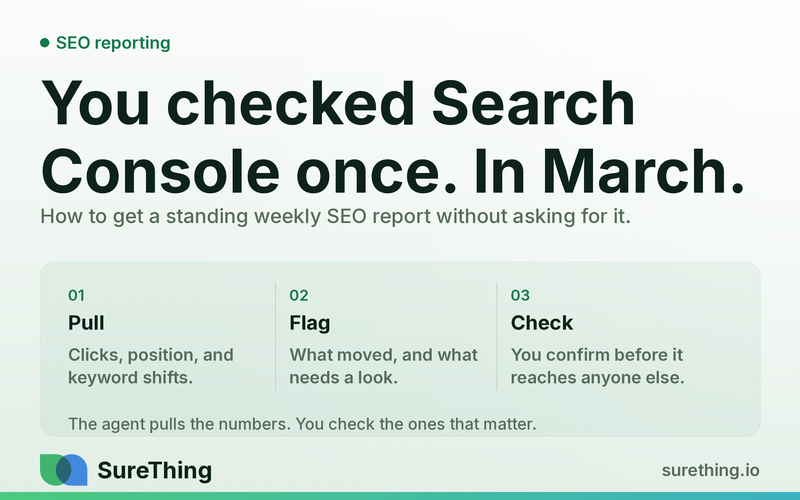
If you're the kind of business owner who opens Search Console once a month, squints at a graph, and closes the tab without really knowing what changed — the fix isn't "check it more often." It's having something else check it for you, every week, and hand you the three or four things that actually matter. An AI weekly SEO report does that by pulling the same data you'd pull manually, but on a schedule you never have to remember, formatted for the person who's going to read it.
Key Takeaways
A weekly SEO report built from Google Search Console data can auto-pull clicks, impressions, average position, and query/page-level movement without you logging in.
The valuable part isn't the raw numbers — it's flagging what changed enough to matter, which requires interpretation, not just a data dump.
New and lost keywords, and technical errors (crawl issues, indexing drops, coverage warnings) are the items most likely to get missed in a sporadic check-in.
Some numbers need a human sanity-check before they go into a report a client or boss will see — especially anything tied to revenue, rankings for branded terms, or sudden spikes/drops.
The goal is a standing routine, not a one-off report — weekly cadence is what turns SEO from a mystery into a trend line you can actually manage.
Automating the pull-and-summarize step doesn't remove the need for judgment on what to say about it.
The Real Bottleneck: Nobody Has Time to Be the SEO Analyst
Most small business owners and marketers know Search Console exists. Many of them even log in occasionally, usually after a slow sales month or when a client asks "how's the website doing?" The problem isn't access to data — Google gives you plenty of it for free. The problem is that turning that data into a usable weekly narrative takes time nobody has budgeted for.
Here's what actually happens in practice: you open Search Console, look at the performance graph, notice it's up or down from last time, and close the tab. You don't compare it to four weeks ago. You don't check which pages lost visibility. You definitely don't cross-reference it against a Coverage report to see if some technical issue quietly tanked a section of the site three weeks before you noticed the traffic dip. That's not laziness — it's that nobody trains you to read this data on a cadence, and doing it properly every week, by hand, for every client or every site you manage, doesn't scale.
The bottleneck is specifically the "standing habit" part. A one-time SEO audit is easy to schedule because it's a project. A weekly SEO report is a chore that competes with actual client work, actual sales calls, and actual invoicing every single week, forever. Anything that's supposed to happen weekly but isn't automatic eventually stops happening. That's the gap a standing AI agent is built to close — similar in spirit to how a recurring local SEO checklist handles the daily side of visibility, except here the cadence and the source data are different: weekly, and specifically GSC-driven.
The Full Workflow: From Trigger to Standing Habit
A weekly SEO report isn't one action — it's a small pipeline. Below is what that pipeline looks like when an agent runs it end to end, broken into the parts that matter: what starts it, what it reads, what it does with that information, where a person needs to step in, and how it becomes something that just happens without anyone remembering to kick it off.
Trigger
The simplest and most reliable trigger is time-based: same day, same time, every week — Monday morning is common, since it gives you the prior full week's data with a day of buffer for GSC's reporting lag. Some setups add a secondary trigger, like a significant week-over-week swing in clicks or impressions that's large enough to warrant an out-of-cycle alert rather than waiting for the next scheduled report. The point of the trigger is that it removes the "did I remember to check this" problem entirely. Nobody has to open a calendar reminder or make a mental note — the report shows up.
Read
This is where the agent pulls from Google Search Console (and, where relevant, connected analytics) rather than a person clicking through tabs. What it reads typically includes:
Total clicks and impressions for the site, plus the week-over-week and month-over-month deltas.
Average position movement, both site-wide and for a defined set of priority pages or queries.
New keywords the site started ranking for that week, and keywords that dropped off the radar or fell out of the top pages of results.
Coverage and indexing signals — crawl errors, pages excluded from the index, mobile usability flags, and anything that looks like a technical error rather than a ranking fluctuation.
Top-performing and biggest-declining pages, so the report isn't just a site-wide average that hides what's actually happening at the page level.
This read step is also where an ongoing agent setup like SEO monitoring earns its keep — it's checking the same underlying signals continuously, so the weekly report is really just a scheduled summary of something that's already being watched rather than a cold pull once a week.
Does
Once the raw data is in hand, the agent's job is to turn it into something a person would actually read, not a spreadsheet dump. That means:
Drafting a short narrative summary — what moved, by how much, and over what time frame — instead of just listing numbers.
Grouping keyword changes into "new," "improved," "declined," and "lost" so a reader can scan it in seconds.
Flagging technical issues in plain language rather than raw GSC error codes, and noting whether they appear new this week or carried over from a prior report.
Drafting a short "what this likely means" note for the two or three most notable changes — for example, connecting a drop in impressions on a specific page to a title tag change, a seasonal pattern, or a competitor entering the results, where the pattern is clear enough to name.
Assembling all of this into a formatted report — email, doc, or dashboard view — ready to send or review.
This "does" step is the difference between an AI weekly SEO report and a plain data export. Restating numbers is trivial; noticing that a 15% impressions drop is concentrated on three pages that all lost featured snippets the same week is the part that requires the agent to actually connect data points instead of just formatting them.
Nod
This is the checkpoint before anything goes to a client, a boss, or gets used to make a decision. A human needs to glance at — not necessarily rebuild — a few specific things before the report leaves the building. Sudden, large swings (a 40% jump or drop in a single week) should get a quick gut-check: was there a site migration, a tracking change, a holiday, a bug in the connected property, or a seasonal event that explains it? Numbers that are about to be attributed to a specific cause ("rankings improved because of the new blog content") deserve a second look, since correlation in a single week of data is not the same as causation. And anything going to an external audience — a client, an investor update, a boss's dashboard — should get a once-over for tone and framing, not just accuracy, since a report that reads as alarmist or overly rosy can do damage even when the underlying numbers are correct.
Routine
The last piece is making sure this doesn't quietly become another thing that only happens when someone remembers. Once the trigger, read, does, and nod steps are working, the report becomes a standing weekly artifact — same day, same format, same recipient list — with the human role narrowing over time to a quick review rather than a rebuild from scratch. That's the actual outcome worth aiming for: not a smarter one-time audit, but a boring, reliable habit that exists whether or not anyone remembers to ask for it. Platforms like a standing traffic report agent follow the same logic on a daily cadence for general site traffic — the weekly SEO version is the same idea applied specifically to Search Console data and search visibility rather than overall traffic.
Manual vs. Automated: What Actually Changes
Task | Manual (sporadic check-in) | Automated (standing AI weekly report) |
|---|---|---|
Pulling clicks/impressions data | Happens when someone remembers to log into Search Console, often weeks apart | Pulled on a fixed weekly schedule regardless of who's busy that week |
Spotting new/lost keywords | Easy to miss since it requires comparing two separate exports by hand | Flagged automatically by comparing week-over-week keyword lists |
Catching technical errors (coverage, crawl issues) | Often discovered late, after traffic has already dropped for a while | Surfaced in the same report as ranking data, closer to when they start |
Explaining "why" a number moved | Requires someone to sit down and cross-reference changes, campaigns, or seasonality | Agent drafts a plausible explanation; still needs a human nod before it's stated as fact |
Sending to a client or boss | Ad hoc — often skipped or delayed when things get busy | Consistent cadence, formatted the same way every week |
Where the Line Should Be
Automating a weekly SEO report doesn't mean handing over judgment along with the busywork. Some parts of this are safe to run without a second look, some genuinely need a human glance, and a few things shouldn't be automated at all — mostly because they involve claims about outcomes that a bot shouldn't be making on your behalf.
Can run unattended
Pulling raw clicks, impressions, position, and coverage data from Search Console on schedule.
Formatting the report and generating the week-over-week and month-over-month comparisons.
Flagging new and lost keywords, and listing top-gaining and top-declining pages.
Sending the report to a defined internal recipient list on a fixed cadence.
Needs a human nod
Any explanation attributing a change to a specific cause (a content update, a technical fix, a competitor move) before it's stated as settled fact.
Reports going to a client, boss, or anyone outside the immediate team who manages the site.
Unusually large swings in either direction — these should get a quick sanity-check against known events (site changes, outages, seasonal spikes) before being reported as organic trend.
Any recommendation to change budget, content strategy, or priorities based on a single week of data.
Should never be automated
Definitive claims that a specific SEO tactic "caused" a ranking change without enough data or time to actually support that conclusion.
Any framing of the report as a guarantee of future performance — SEO reporting can describe what happened, not promise what will happen next.
Decisions with financial, legal, or contractual consequences (e.g., using the report as the sole basis for a client billing dispute) should go through a person, not be resolved by the report itself.
None of this is about SEO being risky the way, say, financial or legal advice is — it's about keeping a clear line between "here's what the data shows" and "here's what you should conclude from it," with a person owning the second part.
FAQ
What's the difference between an AI weekly SEO report and just checking Search Console myself?
Search Console shows you the same data either way — the difference is that a report generated on a schedule compares periods automatically, flags what changed, and gets delivered whether or not you remembered to log in that week. A sporadic manual check tends to miss slow declines that only become obvious when you look at several weeks side by side.
Can the AI just tell me what to do next based on the report?
It can draft suggestions worth considering — like flagging a page that lost rankings alongside a technical error found the same week — but those should be treated as a starting point for a human decision, not an instruction to act on immediately. Especially for anything involving budget or strategy changes, a person should weigh the suggestion against context the report doesn't have.
How is this different from a daily traffic report?
A daily traffic report is generally about overall site visits and behavior, often across multiple channels. A weekly SEO report is narrower and specifically focused on organic search performance from Google Search Console — clicks, impressions, position, keywords, and indexing health. They can run side by side, but they're built from different data and answer different questions.
What if the numbers in the report look wrong?
Sanity-check the underlying Search Console data directly before assuming the report is broken — sudden jumps are sometimes genuine (a page went viral, a seasonal spike hit) and sometimes the result of a tracking or property configuration issue. Either way, this is exactly the kind of thing that belongs in the human "nod" step rather than going out unreviewed, especially if the report is headed to a client or a boss.
Is a weekly cadence actually better than monthly for SEO reporting?
Weekly reporting catches trends and technical issues closer to when they start, which matters because indexing and ranking issues tend to compound the longer they go unnoticed. Industry guidance on search performance monitoring generally supports checking more frequently than once a month for anything actively managed — see general guidance on monitoring search performance trends over time for more on why cadence matters. That said, weekly isn't a universal rule — some very low-traffic sites may get more value from a monthly or biweekly view, since a weekly report on a site with minimal search traffic can end up reporting noise rather than a real trend, a pattern discussed in broader research on reporting frequency for small business marketing metrics.
Making It a Habit Instead of a Task
The honest goal here isn't a fancier SEO report — it's removing the report from your to-do list entirely while still getting the information out of it. Most small business owners don't actually need more SEO data; they need the data they already have access to shown to them on a schedule they didn't have to manage themselves, with the noise filtered out and the two or three things that matter each week put in front of them plainly.
If you're weighing where this fits alongside other things you could hand to an agent, it's worth looking at the fuller picture of what's realistic to automate right now — a rundown of AI agents suited to small business workflows is a reasonable place to see how a standing SEO report compares to other recurring tasks worth setting up. There's no need to overhaul how you manage your website to get this running — it starts as one scheduled report, and the routine builds from there. If a standing weekly SEO report sounds like something worth setting up rather than remembering to do, SureThing is built for exactly this kind of recurring, check-before-it-goes-out workflow.