AI review response generator that turns reviews and messages into ready replies
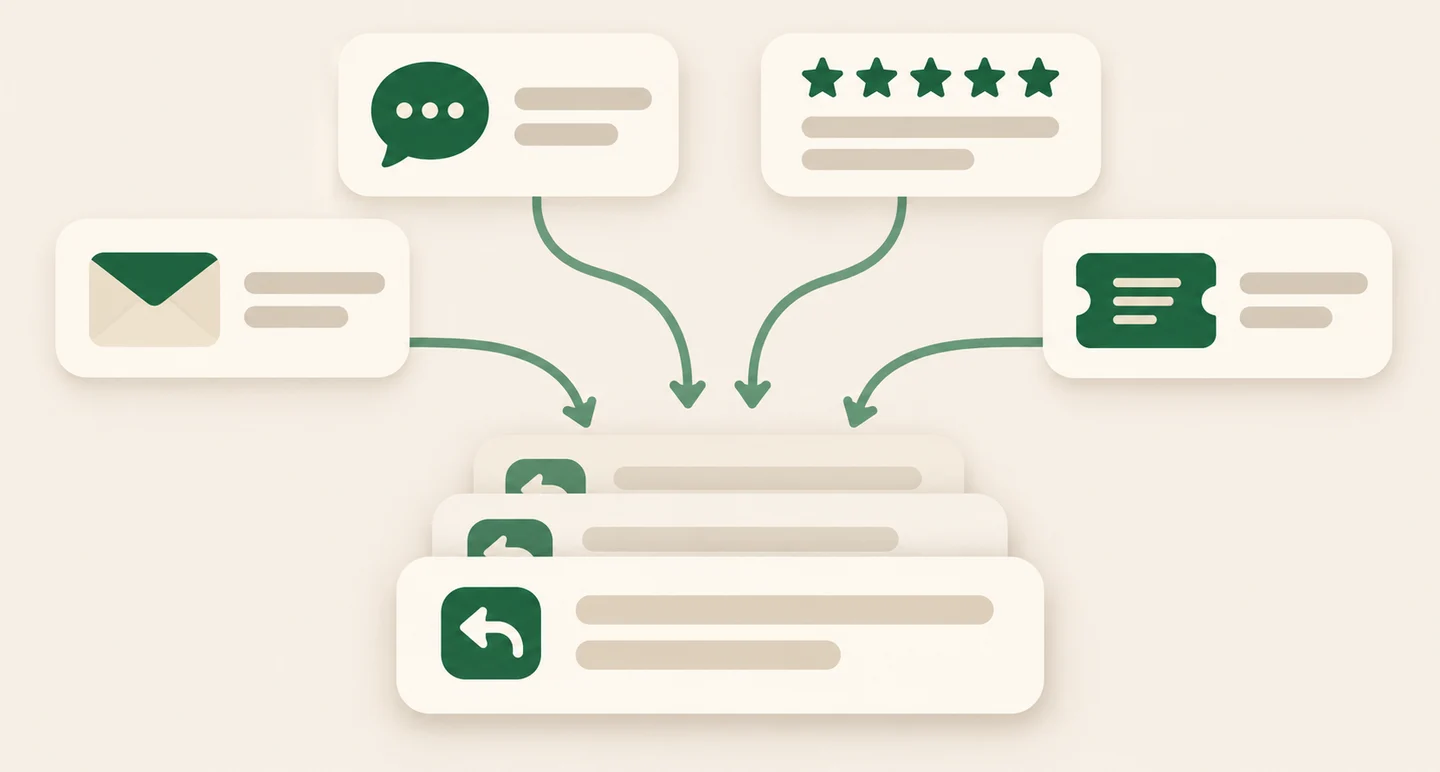
Paste one review or a whole list, or connect your inbox and helpdesk. SureThing drafts each reply in your voice, and you approve it before it goes out.
Free to start with 500 credits, no card. You'll sign in, then connect any apps you picked.
What is an AI review response generator?
It reads a customer review or message and drafts a reply that fits what the customer said. SureThing can also keep doing it on a schedule or whenever a matching email arrives.
- Input: a pasted review, a list of reviews, or messages from a connected inbox or helpdesk
- Output: one reply per message, in your tone and following your rules
- Control: you approve each reply, or let a routine send email replies with your permission

Reply to every customer without writing each reply yourself
Every message gets an answer
New reviews, emails, and tickets don't sit unanswered over a busy weekend.
Replies that fit the message
Drafts mention what the customer actually said, not a generic thank-you.
You stay in control
Sending waits for you unless you give an email routine permission to send.
How do you respond to Google reviews?
Reply quickly, thank the reviewer, mention one detail they wrote, and move problems to a private channel. Keep it to a few sentences.
Reply fast
Aim for a day or two, sooner for negative reviews.
Thank them first
Thank every reviewer, including unhappy ones.
Be specific
Use their name and one detail from the review.
Take problems offline
Apologize once, then share a direct contact.
Where teams use an AI reply workflow
Start with the channel that piles up fastest.
- Local businessesReply to Google reviews in bulk and keep the tone consistent across locations.
- Ecommerce supportDraft answers to order and delivery emails in Gmail or Gorgias.
- SaaS helpdesksPrepare first replies for Zendesk, Intercom, or Freshdesk tickets.
- Survey and form feedbackFollow up on Typeform responses with a personal note.
Who it's for
Owners and managers
Who answer reviews and emails between everything else.
Support teams
Who want first drafts ready when they open a ticket.
Agencies
Who handle replies for several client brands.
Not a fit if every reply needs legal review or you can't connect the app where messages arrive. You can still paste messages in.
How to set up your reply workflow
It takes a few minutes, and you can change any step later.

Describe the job
Paste reviews or say which messages to answer.
Pick your channels
Connect Gmail, a helpdesk, or skip it and paste a list.
Choose who sends
Approve each reply, or let an email routine send with your permission.
Watch it run
New emails get drafts as they arrive; other apps are checked on a schedule.
Compare ways to answer reviews and messages
Pick the approach that matches your volume and the number of places customers write to you.
| Compare | Write by hand | Saved templates | Helpdesk AI features | SureThing workflow |
|---|---|---|---|---|
| Best for | A few replies a week | Common questions | Teams living in one helpdesk | Messages spread across apps |
| Personal replies | Yes, but slow | Generic unless edited | Yes, within that helpdesk | Yes, from each message |
| Channels covered | Any | Any, copied by hand | That helpdesk | Email, helpdesks, chat, and pasted lists |
| Runs without you | No | No | Depends on the plan | Email replies, as a routine with your permission |
| Approval before sending | You send it | You send it | Varies by tool | Approval cards by default |
What customers say about SureThing
I’m running 4 separate businesses using SureThing! I feel like a conductor in an orchestra. You work while I’m sleeping and when I wake up it’s organised my daily tasks. I can do so much more on my own without a team!
 Rochelle Weber@RochelleAWeber
SureThing just replaced my entire AI stack with one agent that remembers everything, learned my voice, and worked while I slept. One agent, one brain, zero manual work.
 Muhammad Ayan@socialwithaayan
My SureThing negotiated back two refunds — $129 Typeform & $29 Ahrefs — completely on its own. Vendor offered a discount. Agent declined. Asked for the full refund. Cited zero usage. We never built a “refund feature.” It just… figured out.
 Celine Yu@celineycn
This is one of the most interesting AI agent products I’ve tested recently. Most AI tools forget everything after each chat. SureThing doesn’t. It builds a persistent memory layer that learns how you write, your priorities, your workflows.
 kukuh@kwkuh
OpenClaw is Linux. I use it in Development. But for my personal needs, I use a Mac. SureThing is that Mac.
 JeffersonNunn.eth@mindragon
AI review responses, explained
Is this AI review response generator free?
You can start free. New accounts get 500 credits with no card, and the free plan can refresh to 150 credits on some days each cycle. Larger volumes need a paid plan; see pricing for details.
Can it reply to emails automatically?
Yes, for email. When you set up a routine that sends email, SureThing asks for permission to send email as you, and the routine can only use what you approve. Outside routines, every email waits as an approval card. Replies in other apps wait for your approval.
Can it reply to Google reviews?
You can paste Google reviews to get replies, and SureThing's review agent can watch your Google Maps listing and suggest replies that you paste into Google yourself. Google Business Profile is rolling out gradually; if you see it in Integrations, you can connect it and reply from SureThing.
How should I respond to negative reviews?
Reply within a day or two, thank the reviewer, apologize once for the specific problem, and offer a direct contact to fix it. Don't argue or share private details in public. You can ask SureThing to flag low ratings so you review those replies first.
Which apps can it watch for new messages?
Connected inboxes like Gmail and Outlook can trigger a routine when a matching email arrives. Helpdesks such as Zendesk, Intercom, Freshdesk, and Gorgias connect as apps, and any tool can start a routine through a webhook on paid plans.
What happens to the reviews I paste?
Pasted text and uploaded CSV or TXT files are read in your browser and carried into your SureThing request after you sign in. Nothing is sent before you sign in.
Turn your next batch of reviews into replies
Paste them in, or connect the inbox where they arrive.