September 9, 2026
Facebook and Meta Ads Automation: What an AI Agent Can Actually Run for You
Most small business Meta ad accounts don't fail on creative - they fail on nobody checking performance for three weeks. A workflow for weekly monitoring, creative rotation, and reporting, with the owner approving every budget or live change.
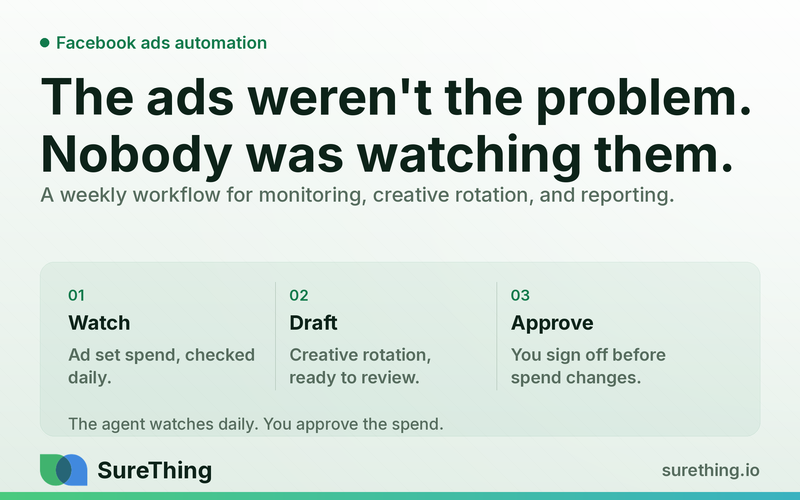
The Direct Answer
An AI agent can't replace your judgment on Meta ads, but it can absolutely take over the repetitive middle layer: pulling performance data across your campaigns every day, flagging the ad sets that are quietly bleeding budget, drafting fresh creative and copy variants when an ad starts to fatigue, and writing you a plain-language weekly summary. You still approve any budget change or anything that goes live - the agent does the watching, the drafting, and the reporting so you're not logging into Ads Manager five times a day just to see if anything broke.
Key Takeaways
Facebook and Instagram ads automation, done well, is about monitoring and drafting - not letting software spend your money without you.
The biggest time sink for small business owners isn't setting up campaigns, it's the daily/weekly babysitting: checking metrics, noticing fatigue, and deciding what to change.
An AI agent can read performance data, flag underperforming ad sets against a threshold you set, and draft creative or copy variants for rotation - on a routine, not just when you remember to check.
Every budget change, pause, or new ad launch should still route through a human approval step - that's the "nod" in the workflow, not optional.
A weekly plain-language report turns raw Ads Manager exports into something you can actually act on in five minutes.
This is a different problem than organic social scheduling - paid Meta ads involve real dollars, so the automation boundary matters more here than almost anywhere else in your marketing stack.
The Real Bottleneck: You're Not Missing Ideas, You're Missing Bandwidth
Most small business owners running Facebook or Instagram ads don't struggle with strategy. They know their audience, they know roughly what offer works, and they can write a decent ad when they sit down to do it. The bottleneck is something much more mundane: nobody has time to check campaign performance every day, notice that one ad set has quietly stopped converting, swap in new creative before the old one goes stale, and then explain what happened in a way that makes sense a week later.
Ads Manager is built for people who live in it. If you're a contractor, a boutique owner, a clinic front-desk manager, or a service business owner who also answers phones and does payroll, you are not living in Ads Manager. You log in, see a wall of numbers, feel a vague sense of dread, and close the tab. That's not a personal failing - it's a workload problem. Campaigns that aren't checked regularly drift. Creative fatigues and nobody notices until cost-per-result has crept up for two weeks straight. Budget sits allocated to an ad set that stopped working ten days ago because reallocating it means opening the platform, cross-referencing numbers, and making a decision under time pressure.
This is also where a lot of "set it and forget it" advice about Facebook ads automation goes wrong. Fully automated bidding and budget rules inside Meta's own tools can help, but they don't tell you why something changed, and they definitely don't draft your next ad. What most owners actually need isn't more automation of the spend itself - it's automation of the watching, the flagging, and the drafting, with a human still deciding what happens to the money. That's a meaningfully different job than the organic posting and scheduling covered in things like general social media automation tools; paid Meta campaigns carry real budget risk, so the automation has to be built around approval, not just output.
A Full Runnable Workflow
Here's what this actually looks like when it's built as a standing workflow rather than a one-off task. The goal isn't a magic dashboard - it's a repeatable loop that runs on its own schedule and only stops for you when a real decision needs to be made.
Trigger
The workflow can start a few different ways, and most setups use more than one:
A scheduled trigger - for example, every morning at 8am and every Monday for the weekly rollup.
A threshold trigger - cost-per-result on any active ad set crosses a line you've set, or frequency climbs above a level that usually signals creative fatigue.
A manual trigger - you launch a new campaign or creative variant and want the agent watching it closely for the first 48-72 hours.
Read
Once triggered, the agent pulls and reads the data that would normally require you to open several tabs: campaign, ad set, and ad-level performance (spend, CPM, CTR, cost per result, frequency), which creatives and copy are currently live and how long they've been running, and any recent changes you or the platform made. Where it's useful, it can also read broader account signals the way it would for a paid search account managed through something like Google Ads performance monitoring - the underlying pattern of "read the numbers before deciding anything" is the same whether the platform is Meta or Google.
Does
This is where the agent does the actual work, on its own, without touching live spend or live ads:
Flags specific ad sets that are underperforming relative to the account's own recent baseline or a threshold you've defined - not a generic industry benchmark, your numbers.
Drafts two or three creative or copy variants for ad sets showing fatigue, based on what's been working in the account and the offer you've told it about.
Notes which ads have been running long enough that rotation is worth considering, so you're not relying on memory.
Compiles all of this into a plain-language draft report - what changed, what's worth a look, what it's suggesting, in sentences rather than raw export tables.
Nod
Nothing above touches your account settings. The human approval step is where you actually look at what the agent flagged and drafted, and decide: pause this ad set, raise or lower this budget, approve this creative for rotation, or ignore the flag because you know something the data doesn't show. This is the non-negotiable part of the workflow - the agent prepares the decision, it doesn't make it. For anything involving live budget changes or pausing/launching campaigns, that approval step stays with you, every time.
Routine
The value shows up once this becomes a habit rather than a one-time favor. A short daily check - did anything cross a flag threshold overnight - keeps small problems small. A weekly report gives you the fuller picture: what performed, what got flagged, what creative was drafted and why, and a short list of decisions waiting for your nod. Over time this routine becomes the actual system of record for your ad account, instead of a memory of "I think that campaign was doing okay last time I checked."
Manual vs. Automated: What Actually Changes
Task | Manual approach | Agent-assisted approach |
|---|---|---|
Daily performance check | Owner logs into Ads Manager when they remember, scans numbers under time pressure | Agent reads performance data on a schedule and only surfaces what's outside normal range |
Spotting underperforming ad sets | Noticed days or weeks late, often after budget has already been wasted | Flagged against a threshold soon after performance drifts, before spend piles up |
Creative rotation | New creative gets written in a rush when the old ad "feels stale" | Draft variants are prepared ahead of fatigue, ready for review before performance drops |
Weekly reporting | Raw export or none at all - "I'll check it later" that rarely happens | Plain-language summary compiled automatically, ready to read in a few minutes |
Budget or live-campaign changes | Made reactively, sometimes without full context | Proposed by the agent with reasoning, approved by the owner before anything goes live |
Where the Line Should Be
Being honest about what should and shouldn't run on its own matters more with paid ads than with almost any other marketing task, because real money moves. Here's a fair breakdown.
Can run unattended
Reading and compiling performance data across campaigns and ad sets.
Checking for fatigue signals like rising frequency or falling CTR on ads that have been live for a while.
Drafting creative and copy variants for later review - drafting, not publishing.
Building the plain-language weekly report from raw account data.
Needs a human nod
Any change to budget, bid strategy, or campaign objective.
Pausing, resuming, or launching an ad set or campaign.
Publishing a new creative or copy variant into an active rotation.
Expanding or narrowing audience targeting.
Should never be automated
Claims about pricing, guarantees, health outcomes, or financial results in ad copy - that's a compliance risk regardless of who wrote the draft.
Any ad content that touches regulated categories such as legal, tax, insurance, or investment advice - those need review from someone qualified in that field, not an AI draft treated as final copy.
Decisions about whether an ad account or campaign is compliant with Meta's advertising policies in sensitive categories - that judgment call stays with a human who understands the specific rules for that industry.
Industry research on small business marketing consistently points to time and attention, not lack of tools, as the main constraint on getting ads managed well - general findings on small business time constraints back up what most owners already feel: the tools aren't the hard part, showing up for them consistently is.
FAQ
Will an AI agent spend my ad budget without asking me?
No, not in a workflow built around approval steps. The agent's job is to read data, flag issues, and draft creative or reports. Anything that changes live budget, pauses a campaign, or publishes a new ad should route through you first, every time, no exceptions.
How is this different from Meta's own automated rules and Advantage+ campaigns?
Meta's built-in automation optimizes delivery and bidding inside the platform, but it doesn't explain what happened in plain language, doesn't draft new creative for you, and doesn't compile a weekly summary you can read in five minutes. An agent layer sits on top of that and handles the parts Meta's automation doesn't - the reading, the flagging, and the drafting.
Can it write ads that actually match my brand voice?
It can draft variants based on what's already performing in your account and any brand guidance you give it, but the drafts are a starting point for your review, not a final answer. You're checking tone and accuracy before anything goes into rotation, the same way you'd review copy from a freelancer.
What if my ad account is small - is this overkill?
Smaller accounts often benefit more from this kind of routine, not less, because there's less margin for wasted spend and less staff time to spend babysitting campaigns manually. A daily flag and a weekly report can matter just as much on a modest budget as on a large one.
Does this replace someone who understands Meta ads strategy?
No. It replaces the manual monitoring and reporting grind, not the judgment behind targeting, offer, and overall strategy. Reports on how much small businesses actually budget for marketing generally show that owners want more strategic time, not less human involvement - this workflow is meant to free up that time, not eliminate the thinking behind it.
Where This Fits Into Your Broader Marketing Stack
Facebook and Instagram ads rarely run in isolation - most small businesses are also managing organic social posting, maybe some paid search, and a growing pile of admin tasks around all of it. Treating each channel as a separate manual chore is exactly what leads to the burnout that makes ad accounts get neglected in the first place. It's worth thinking about paid Meta ads monitoring as one piece of a wider set of standing routines, alongside things like organic social media monitoring and drafting and search campaign oversight, so the reading-flagging-drafting-reporting loop becomes a habit across your whole marketing operation rather than a one-off project for one channel.
If you're weighing which parts of your business are actually ready for this kind of agent-assisted routine versus which still need a fully manual touch, it helps to look at a broader map of what's realistic right now rather than guessing - a rundown like a current look at AI agents for small business is a reasonable starting point before you commit to changing how any one channel is managed.
A Quieter Way to Run Your Ads
None of this is about handing your ad budget to a machine and hoping for the best. It's about getting the daily grind of checking, flagging, and reporting off your plate so the only thing landing in your inbox is a short, clear summary and a handful of decisions worth your actual attention. If that sounds closer to how you'd rather run Facebook and Instagram ads, surething.io is worth a look when you're ready to see what a workflow like this could take off your hands - no pressure, no rip-and-replace, just a quieter way to keep an eye on campaigns you already care about.