September 16, 2026
AI Website Audit: What an Agent Can Actually Check For a Small Business Site (2026)
A website audit isn't the same as the daily local-SEO checklist - it's the diagnostic pass that finds broken links, slow pages, and crawl errors before anything else matters.
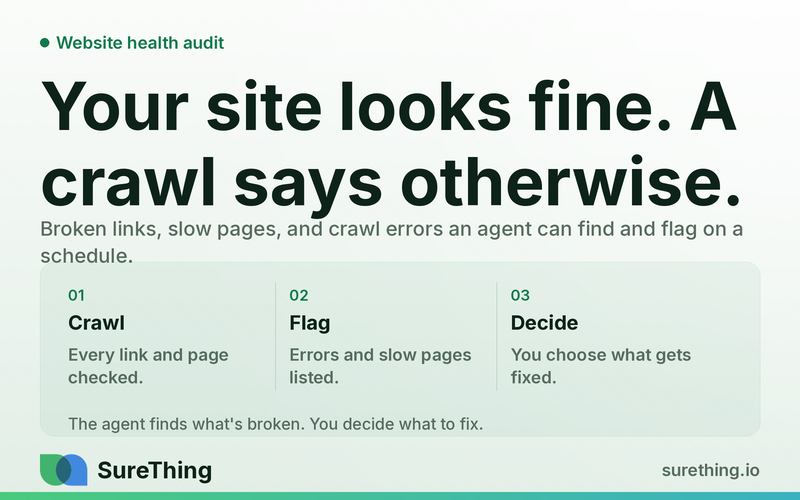
What an AI Website Audit Actually Checks
An AI website audit is an automated scan of your site's technical health and on-page basics - broken links, slow-loading pages, mobile rendering problems, missing meta tags, redirect chains, and duplicate or thin content - run on a recurring schedule so you know what changed and when, not just what's wrong today. It's different from a one-time freelancer report that describes your site's condition on a single afternoon and starts going stale the moment you publish your next blog post. The real value isn't the first scan; it's the diff between this week's scan and last week's.
It's worth being precise about what this piece covers, because "website audit" gets used loosely. This is not a local SEO audit - that's a separate layer covering your Google Business Profile, name-address-phone consistency across directories, review volume, and local pack ranking. This article is about site health: the technical and on-page condition of the pages themselves, regardless of whether anyone in your city can find you in a map pack. Both matter. They're just not the same job.
Key Takeaways
A site-health audit checks technical basics (broken links, speed, mobile rendering, redirects, response codes) and content basics (thin pages, duplicate titles, missing alt text) - it's a different layer from local SEO or listings audits.
A one-time freelancer audit is a snapshot. It's accurate on delivery day and increasingly wrong every week after, especially after a migration, redesign, or plugin update.
An AI agent can crawl every internal link, record response codes and load times, and store the results so it can flag exactly what's new or changed since the last pass.
Some things are genuinely safe to automate end-to-end - link checks, uptime, broken-image detection. Others - rewriting a page, merging two competing pages, approving a redirect on a high-traffic URL - need a human decision.
The goal isn't a longer report. It's a shorter list of things that actually changed, checked often enough that problems get caught before they cost you traffic.
The Real Bottleneck: Audits Go Stale Faster Than You Can Act On Them
Most small business owners have already paid for a website audit at some point - usually bundled into a redesign, or as a one-off deliverable from a freelancer or agency. The report lands as a 20-page PDF with a traffic-light color scheme. You read it once, fix the three most alarming items, and file it away. That's the bottleneck: the audit was correct the day it was delivered, but your site doesn't sit still. You add a page. A plugin updates and breaks a template on mobile. Someone migrates your blog to a new URL structure and forgets to redirect the old posts. Six months later you have a folder of 404s from that migration, nobody noticed, and the PDF in your inbox has no idea any of it happened. The deeper problem is that technical site health isn't a project with a finish line - it's closer to a leaking faucet. Small drips (a broken outbound link, a missing alt tag, a slightly slower page) don't individually tank your traffic, but they compound. And because nobody's job is "check the site for problems every week," they simply don't get checked until something visible breaks - a client emails to say a page won't load, or you notice rankings sliding and can't figure out why. By the time that happens, the fix is reactive and the damage is already several weeks old. This is the gap a recurring, automated audit is built to close: not a smarter one-time report, but a standing process that watches for the drip.
The Workflow: How an Ongoing Site-Health Audit Actually Runs
Trigger
The trigger is usually a schedule, not an event - weekly is the common cadence for a small business site, since most sites don't change dramatically day to day. Some owners set it to daily during a launch, migration, or redesign window, then dial back to weekly once things stabilize. A manual trigger also makes sense right after you publish a batch of new pages or right after a developer hands off a site change - you want the crawl to run before you forget what you touched.
Read
On each run, the agent crawls the site the way a search engine or a visitor would: starting from the homepage, following every internal link it can find, and building a map of every page it reaches. For each URL it records the HTTP response code (200, 301, 404, 500, and so on), the page load time, whether the page renders correctly on a mobile viewport, the title tag and meta description, whether an H1 is present, image alt text, and whether the content on the page crosses a reasonable length threshold or looks like a near-duplicate of another page on the site. It also checks external links out of your site to see if any point to pages that no longer exist. None of this requires guessing at intent - it's straightforward crawling and comparing against known-good baselines, which is exactly the kind of repetitive, rules-based checking an ongoing website audit agent is built to run without someone remembering to do it manually.
Does
Once the crawl is done, the agent does the work a person would otherwise spend an hour doing by hand: it compiles the list of broken links (internal and external), flags any page returning a 404 or 500, identifies redirect chains where a URL bounces through two or three hops before landing, and lists pages with duplicate title tags, missing meta descriptions, or missing alt text on images. It groups pages by word count and flags the thin ones. Critically, it diffs this run against the previous one and produces a "what changed" list - new 404s that weren't there last week, a page whose load time jumped, a title tag that got edited (intentionally or not). That diff is the actual product. A static list of every issue on your site is useful once; a list of what's new since last Tuesday is useful every week, and it's the piece a one-time audit structurally cannot deliver.
Nod
The agent stops short of making judgment calls that affect how visitors or search engines experience your site. It will flag that two blog posts cover almost the same topic and are competing for the same search terms, but deciding whether to merge them, redirect one into the other, or leave both alone is a call about your content strategy and your traffic history - that's a human decision. It will flag a broken internal link, but if fixing it means changing where a heavily-linked page points, that's worth a quick look before it's applied. Anything that touches existing traffic - a redirect on a page ranking well, a rewrite of a page's core content, a decision to unpublish something - gets surfaced for approval rather than pushed through automatically.
Routine
The habit that actually works for most small sites is a short weekly digest: what's broken, what's new since last week, and what's been sitting unresolved for more than one cycle. That last part matters - a lot of value comes from an agent that remembers you flagged something two weeks ago and didn't fix it, rather than re-surfacing an identical list every time as if it's brand new. Layered alongside ongoing SEO monitoring that tracks rankings and search console data, the technical audit becomes one input into a broader weekly operating rhythm rather than a standalone report you have to remember to commission.
Manual Audit vs. Automated, Recurring Audit
Factor | One-Time Freelancer Audit | Recurring AI Agent Audit |
|---|---|---|
Freshness | Accurate on delivery day, stale within weeks as the site changes | Re-run on a schedule, so it reflects the site as it is now |
What you see | A full static list of every issue found, all at once | A diff showing what's new or changed since the last run |
Cost pattern | A larger one-off fee for a single deliverable | A smaller ongoing cost that covers continuous checking |
Catching migration fallout | Only if you happen to commission an audit after the migration | Surfaces new 404s and broken redirects the week they appear |
Content judgment calls | Freelancer's opinion, delivered once, not revisited | Flagged for a human to decide, with data attached, every cycle |
Where the Line Is: Automated, Approved, and Off-Limits
Safe to run unattended
Crawling the site and following every internal link, recording response codes, timing page loads, checking mobile rendering, scanning for missing meta tags and alt text, detecting duplicate titles, identifying redirect chains, and comparing this week's results against last week's are all mechanical, rules-based checks. There's no judgment call in noticing that a page returns a 404 or that a title tag is missing - an agent can run this on a fixed schedule with no one watching and simply produce a report.
Needs a human nod
Anything that changes what a visitor or search engine actually experiences deserves a look first. That includes approving a new redirect on a page that already gets meaningful traffic, deciding whether two overlapping pages should be merged or left as-is, choosing to rewrite thin content versus simply expanding it, and unpublishing a page entirely. The agent can prepare the recommendation and even draft the redirect rule or the outline for a rewrite - the decision to apply it stays with the owner or whoever manages the site.
Should never be automated
If your site publishes anything that touches medical, legal, tax, insurance, or financial advice, the content itself needs a qualified professional's review before it goes live or gets edited - an agent can flag that a page is thin or outdated, but it should never be the one deciding what that page should say on a regulated topic. More broadly, any change that could break how customers pay you, submit a form, or reach you by phone should get a manual check before and after, since an automated crawl can miss a functional problem that isn't reflected in a response code.
FAQ
How is an AI website audit different from a local SEO audit?
A local SEO audit looks at your Google Business Profile, directory listings, name-address-phone consistency, and review activity - it's about whether local searchers and map results find you. A website audit, the subject of this piece, looks at the site itself: broken links, load speed, mobile rendering, and on-page basics like titles and alt text. Most small businesses eventually need both, but they're checking different layers of the stack.
How often should a small business site actually be audited?
Weekly is a reasonable default for most small business sites, since it's frequent enough to catch a new batch of 404s or a broken link before it sits unnoticed for a month, without generating so much noise that the reports get ignored. Sites in the middle of a migration or redesign benefit from a tighter cadence temporarily.
Can an AI agent actually fix broken links and redirects on its own?
It can identify them, group them, and draft the fix - a proposed redirect rule, a corrected internal link, an updated alt tag - but pushing a change live that affects an existing URL's behavior is usually held for a quick human approval, especially on pages that already carry traffic.
What happens to old pages after a site migration that an audit would catch?
A common failure pattern is old URLs from a previous site structure quietly returning 404s because redirects were never set up, or were set up for some pages and missed others. A crawl-based audit surfaces those directly, since it follows every link and records what it hits, and research on how crawl errors affect site performance generally supports treating unresolved 404s as worth fixing rather than ignoring.
Is a one-time audit ever the right choice instead of a recurring one?
A single audit still has a place right after a big change - a new site launch, a migration, or a redesign - when you want a full baseline read. The limitation is that it answers "how healthy is the site today," and for most small businesses the more useful question over time is "what changed since I last checked," which is what a recurring setup is built to answer.
Where to Go From Here
None of this requires overhauling how you run your website - it's closer to putting a smoke detector in a room that's currently unmonitored. The technical basics (broken links, load time, mobile rendering, redirect chains) and the on-page basics (thin content, duplicate titles, missing alt text) are checkable on a schedule without anyone having to remember to commission a report. What stays with you is the handful of decisions each week that actually need a human read: whether to merge two pages, how to rewrite a thin one, whether a redirect is safe to ship. General guidance on how small businesses are approaching AI-assisted operations points the same direction most owners are already leaning - toward tools that handle the repetitive checking so attention goes to the decisions that need it. If you're curious what this looks like set up against your own site, the website audit agent is a reasonable place to start, and it sits comfortably alongside other day-to-day agents covered in this roundup of AI agents for small business if you're building out a broader routine. Pricing details, including how the audit fits with other agents, are on the pricing page whenever you're ready to look.