May 27, 2026
Your AI Agent Can Now Join Your Slack
We just shipped Slack integration for SureThing Agents. Your AI teammates can now live inside your Slack workspace — posting updates, answering questions, and working alongside your team without anyone playing messenger. Here's why we built it this way.
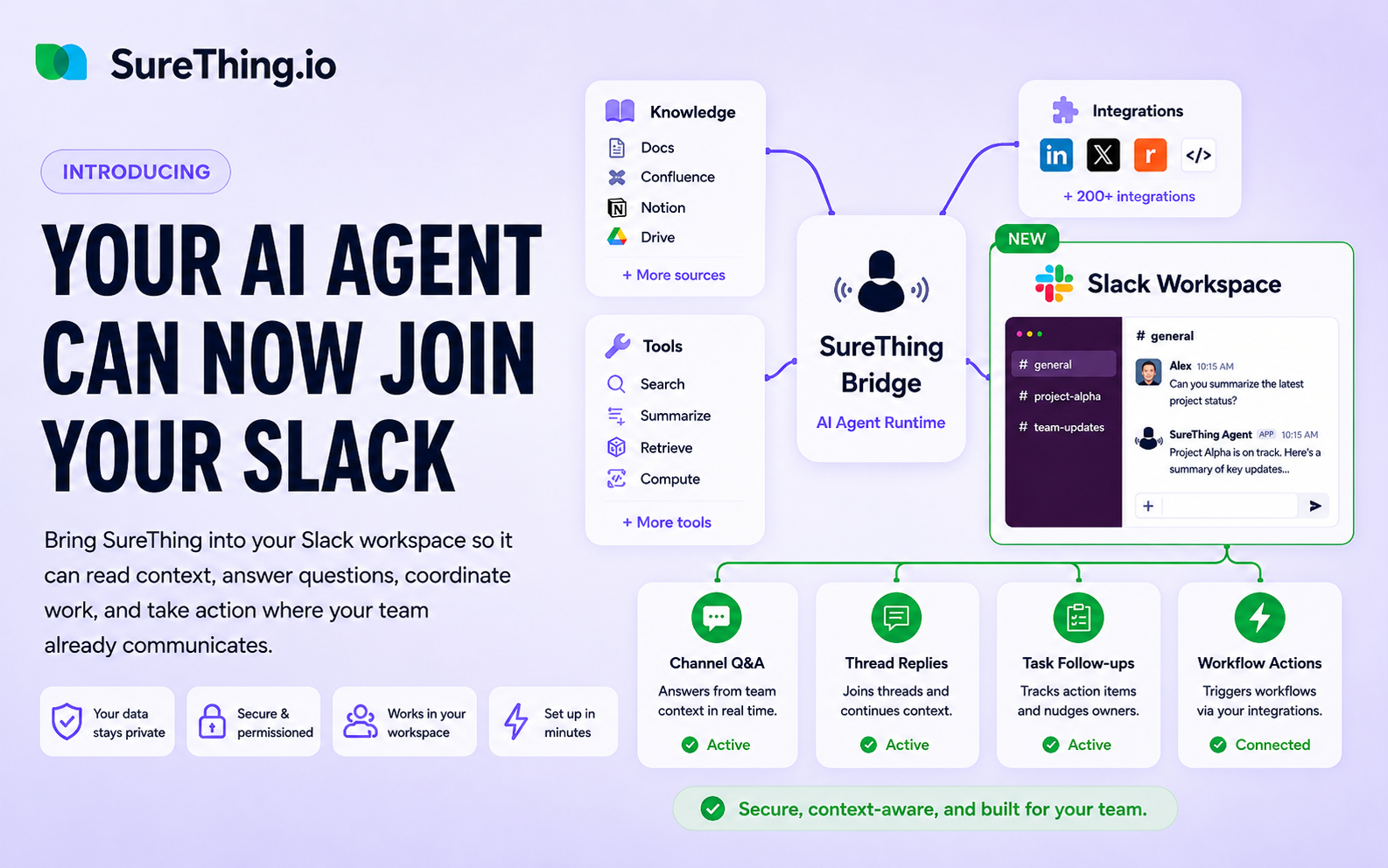
We shipped something last week that we've wanted to build for a while: SureThing Agents can now be added directly to Slack.
The mechanics are simple. You open your project, find the Agent you want, click Add to Slack, and it's in your workspace. But the reason we built this — and how we thought about it — is worth explaining.
From messenger to colleague
A pattern we kept seeing: people using AI agents to get work done, then manually carrying the output somewhere else.
An Agent runs a report. The user copies it into Slack to share with the team. A teammate has a question about a project. The user asks the Agent, gets the answer, then pastes it back into the conversation. The Agent is doing the work, but the human is still acting as the messenger between the AI and the rest of the team.
That's the wrong model. If an Agent is capable enough to do the work, it should be capable enough to communicate directly with the people who need it. It should be a colleague, not a backend process someone has to relay.
Why Slack, and not something we built ourselves
We made a deliberate choice not to build team chat into SureThing.
Slack, Teams, and similar tools have spent years getting human-to-human communication right. The threading, the notifications, the channel structure, the integrations — these tools are already where your team lives. Asking people to move their communication into a new product just to interact with an AI is the wrong ask.
Our job isn't to replace where your team communicates. It's to make sure the AI agents you build can show up there. The work happens in SureThing. The output surfaces where your team already is.
What makes this work: each Agent is its own complete system
SureThing is an Agent platform. You can build multiple Agents in a single project, each one focused on a different area of work.
What's different from most tools is that each Agent is genuinely independent. It has its own routines and skills, its own workspace and memory, and its own runtime environment — including sandbox, cloud computer, and browser access. It's not a shared assistant with different prompt configurations. It's a separate, self-contained unit.
That independence is what makes the Slack integration meaningful. When an Agent joins a Slack channel, it brings everything it knows and everything it can do. It's not a thin notification bot. It's the whole system, accessible from where your team works.
What you can actually do with it
A few ways we've seen this used already:
A product update Agent in your team channel. Pull in an Agent that tracks your product's progress, surfaces key updates each day, and answers questions from the team about what's shipping and when. Anyone in the channel can ask it directly. It already knows the context.
A project management Agent that keeps things moving. Connect an Agent to your project tracking. It posts status updates on a schedule, flags things that are falling behind, and responds when teammates ask where something stands. It doesn't wait to be asked — it proactively keeps the team informed.
The framing we keep coming back to: it's like hiring a digital intern. You define how it works, what it knows, and what it can do. The whole team benefits from having it around — but you stay in control of what it's actually doing.
How to set it up
The setup takes about a minute.
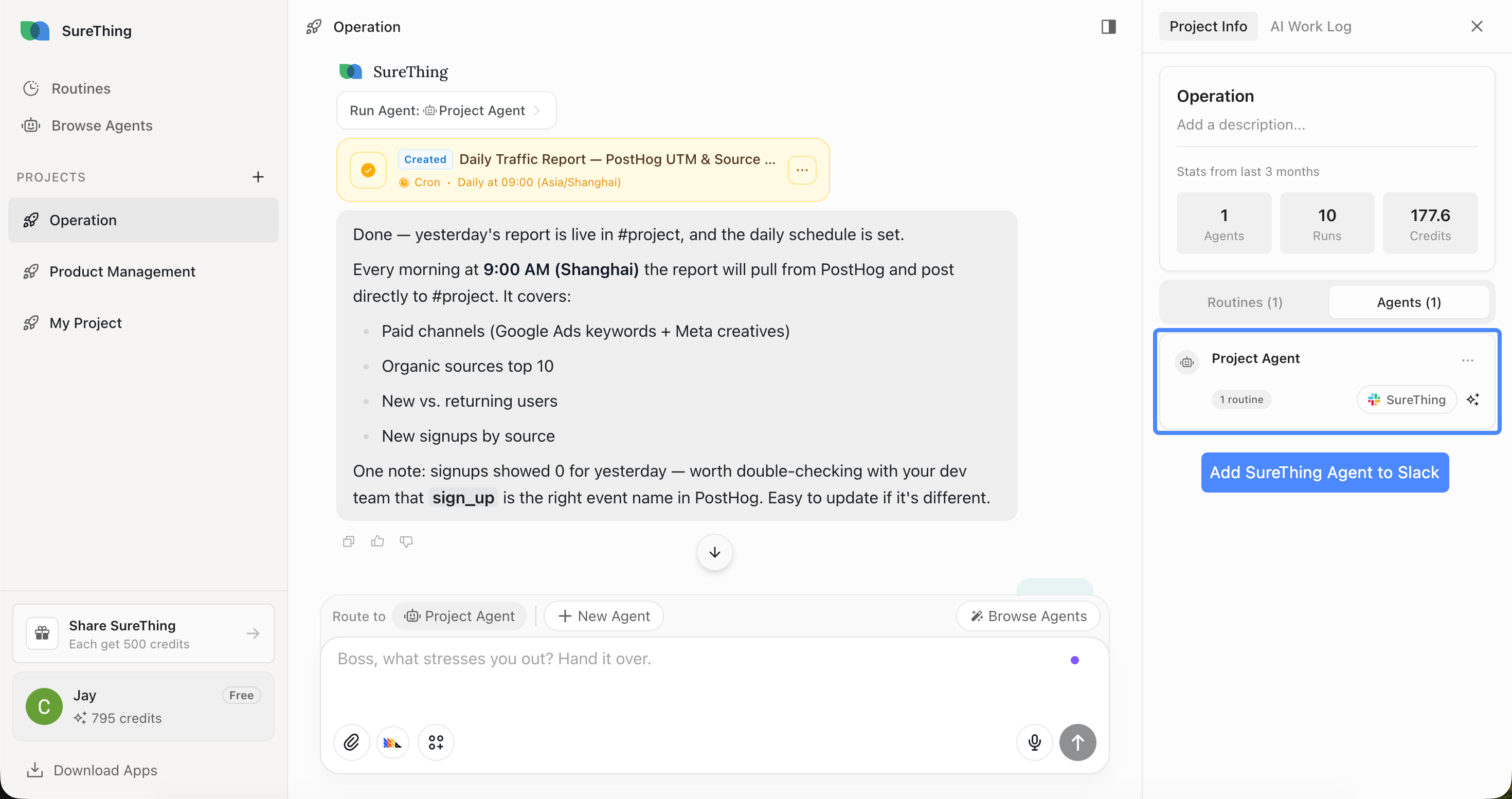
Open any project in SureThing. On the right side panel, you'll see the list of Agents in that project. Next to each Agent is an Add to Slack button. Click it, follow the prompts, and the Agent is connected to your Slack workspace.
Once it's in, you can give it whatever name fits your team, choose which channels it joins, and configure when and how it posts. It can send scheduled updates, respond to direct messages, or answer questions in a shared channel — all of it adjustable.
What we're curious about
We have a clear picture of a few use cases. But the more interesting thing, every time we ship something like this, is what people do with it that we didn't expect.
If you've connected an Agent to Slack — or if you have an idea for how you'd use it — we'd genuinely like to hear about it. What does it look like when an AI colleague actually works well inside a team? We're still figuring that out, and the people using it are going to teach us more than we can figure out on our own.