May 27, 2026
Why We Built SureThing Bridge
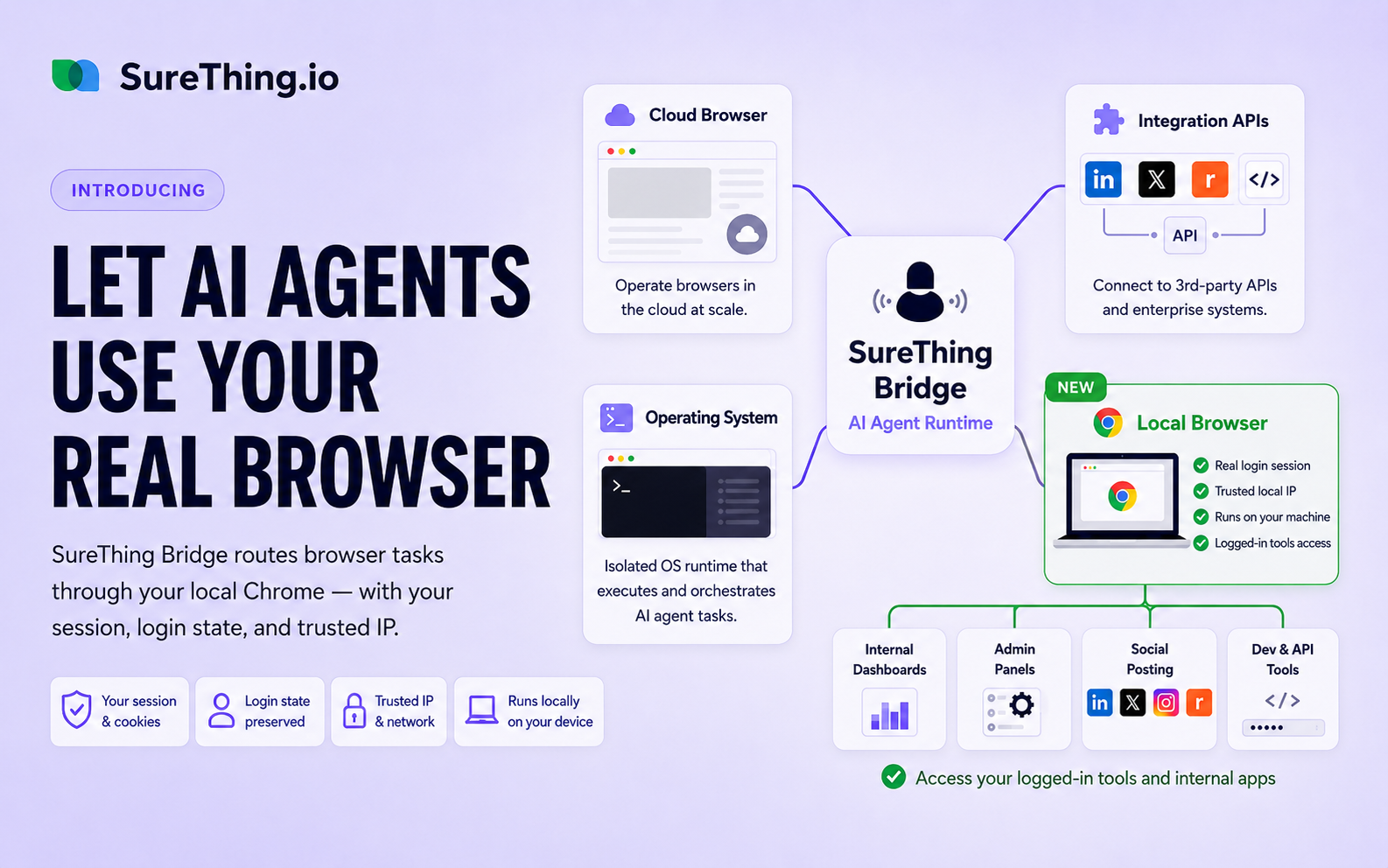
Many tasks that AI agents need to complete happen inside a browser — on platforms that don't offer APIs, behind logins, or on sites that block automated cloud browsers. SureThing Bridge is our answer: a Chrome extension that lets your AI use your own browser, with your own session, from your own IP. Here's the problem we saw and what users are doing with it.
We've been thinking about this problem for a while. As AI agents take on more real work, they inevitably run into the same wall: the task requires a browser.
Not a simple search or a public page fetch. The kind of work that requires being logged in, having the right IP, and behaving like a real user on a real machine. Today we want to share how we thought through this problem — and what we built to solve it.
The problem: agents need browsers, and browsers need trust
When an AI agent needs to complete a task on the web, it has a few options.
The cleanest path is OAuth or an API. Platforms like Gmail, Twitter, and LinkedIn support proper authorization flows. The user connects the account once, and the agent can call the API directly. This works well, and we've invested heavily in making these integrations smooth.
But a large portion of the web doesn't offer an API. Company internal tools, niche SaaS products, forums, dashboards — many of the places where real work happens have no API at all. To operate there, you need a browser. And to operate in a browser the way a user would, you need their session cookie and, often, trusted IP address.
Cloud browsers seem like the obvious answer. Spin up a browser in the cloud, have the agent use it. We saw a lot of enthusiasm around this approach in 2025 — cloud browsers integrated into agents everywhere.
The reality turned out to be more limited. Cloud browsers work reasonably well for public pages. But they struggle with two very common cases: sites protected by Cloudflare or similar anti-bot systems, and anything that requires being logged in. A cloud browser doesn't have your session. It can't impersonate you. And its IP addresses are known — they show up in shared pools that services recognize and block.
Internal company tools are even harder. They often require VPN access or IP allowlisting. No cloud browser can help there.
Our answer: use the browser you already have
The insight was simple: the user already has a trusted browser. It has their session cookies. It runs on their IP. It has their login state for every service they use. The answer wasn't to build a better cloud browser — it was to use the local one.
SureThing Bridge is a Chrome extension that connects your browser to SureThing. When an agent task needs browser access, SureThing automatically routes that work through the extension — operating inside your actual Chrome, on your machine, with your session.
The agent works the same way it always does. The user doesn't have to do anything differently. The difference is that the browser operations happen locally, using your real credentials and your real IP, instead of in a shared cloud environment.
What users are actually doing with it
Since launching SureThing Bridge, task completion rates have gone up significantly. But the more interesting part has been watching what users try once they have this capability. A few patterns have emerged:
Fetching API keys and tokens.
Many platforms require you to navigate into account settings, developer pages, or admin panels to find an API key or access token. For users without a technical background, this is genuinely difficult — knowing where to look, what to copy, where to paste it. With SureThing Bridge, users just ask the agent to get the key. It opens the page, finds it, and brings it back. Something that used to require support tickets or developer help takes seconds.
Social media automation that doesn't get accounts banned.
This is one of the more clever uses. Posting to social platforms via API carries risk — platforms can detect and flag automated API activity, and accounts get restricted or banned. With SureThing Bridge, the agent posts through the actual browser interface, the same way a human would. From the platform's perspective, a real user on a real device made the post. Users running social media workflows have told us this has been a significant reliability improvement.
Accessing logged-in data and internal tools.
Monitoring a dashboard that requires login. Filling out forms on internal systems. Checking server status pages behind authentication. Reading reports that exist only inside a logged-in product view. These are tasks that were simply off-limits for cloud-based agents. Now they're part of normal workflows.
A small shift with a large surface area
SureThing Bridge isn't a dramatic architectural change. It's a small extension that does one thing: it makes your browser available to your agent when the agent needs it.
But that small change opens up a large surface area of tasks that previously had no clean solution. The web that runs on sessions, logins, local trust, and specific IPs — which is most of the interesting web — is now accessible.
If you're using SureThing and haven't installed the extension yet, you can get it here:
Install SureThing Bridge on the Chrome Web Store
We're curious what you end up using it for. The use cases above are just what we've seen so far.