May 18, 2026
How I Built an AI Agent That Writes My Social Posts (and Cut 5 Hours to 10 Minutes)
Most founders waste 3–5 hours every week writing social posts that nobody reads. So I built an AI agent that drafts, schedules, and publishes everything across LinkedIn, Twitter, Instagram, and Reddit — and approves with one tap from my phone. No code. No setup wizard. Here's exactly how I built it in SureThing, and why the agent gets better with every approval.
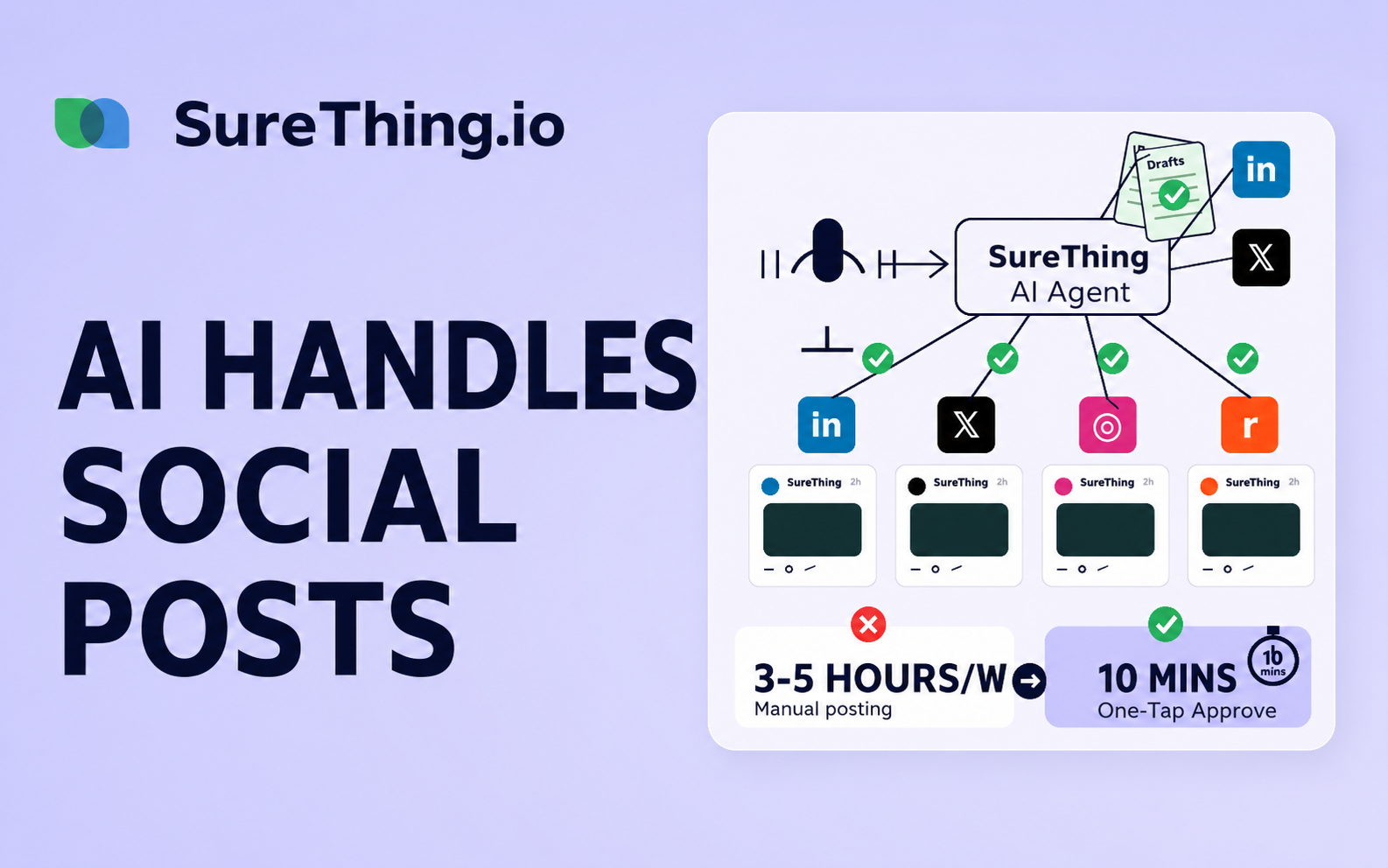
Most founders are losing 3–5 hours a week to social media nobody reads
If you're a founder, you've probably told yourself some version of this:
"I should post on LinkedIn more. I should be on Twitter. I should be experimenting with Reddit. I just don't have time."
You sit down on a Sunday night, force out three posts, schedule them, and feel productive for about 45 seconds. Then Monday hits and the posts get 12 impressions and 0 replies, and you start to suspect the entire exercise was theatre.
There's a better answer. You don't need more discipline. You need an agent.
In this walkthrough I'll show you the exact AI agent I'm running inside SureThing that handles 100% of my social writing — and how I went from spending 3–5 hours every week to spending about 10 minutes, all from my phone.
What this agent actually does (and why it's not another scheduler)
Most "social media automation" tools are calendars with a content engine bolted on. You still write the posts. You still pick the topics. You still adapt them for each platform. The tool only saves you the act of pasting.
The SureThing Social Media Automation agent does the writing. Specifically:
Monitors industry trends in the spaces you care about
Drafts posts in your voice — with platform-specific hooks for LinkedIn, Twitter, Instagram, and Reddit
Schedules drafts on a cadence you set (mine is Mon / Wed / Fri 09:30)
Surfaces every draft as a card in your project chat so you can approve, edit, or skip
Learns from every decision you make — by post twenty, it sounds more like you than you do
It's the difference between "a tool that helps me post" and "a teammate who handles posting and reports back."
Step 1 — Pick the agent from the library
SureThing's Browse Agents page is a library of pre-built AI teammates you can drop into any project. Each one comes with a default skill set and routine schedule baked in.
I picked Social Media Automation, clicked "Add to project," picked my Demo project, and that was the entire setup. No setup form. No wizard. No config page. The agent decides what it needs.
Why this matters: every other social tool I've used has 12 steps before you can produce a single post. Connect this. Authorize that. Pick a template. Fill in your brand voice. Most founders bounce before they reach step 4. Skipping the setup form isn't a UX flourish — it's the difference between actually using the tool and abandoning it.
Step 2 — Watch the agent install itself
Here's where the magic happens. The agent:
Reads its own playbook
Writes its workspace files — strategy, state, post history
Schedules its own routines (mine: Mon/Wed/Fri drafts at 09:30, weekly performance summary on Friday at 17:00)
You watch this happen as cards appear in the chat. No clicking. No confirming. The agent self-bootstraps.
By the time you've finished your coffee, you have two recurring tasks running, a memory file initialized, and a draft queue ready to fill.
Step 3 — The "memory" is the whole product
This is the part most people miss when they think about AI agents. The workspace files aren't config. They're memory.
The agent builds a style guide from your existing accounts — your tone, your topic rotation, your dos and don'ts. Every time you approve or edit a draft, that decision feeds back into memory. Skip a draft and it picks a different angle next cycle. Edit it and it learns your edit pattern.
By post twenty, the agent sounds more like you than I do.
This is what makes the agent different from a ChatGPT prompt that writes "in your voice." A prompt forgets the moment you close the tab. An agent remembers every decision you've ever made about your social presence, and gets sharper every week.
Step 4 — Drafts in your voice, one per platform
When the routine fires (mine is Mon/Wed/Fri 09:30), the agent:
Pulls a topic from the rotation
Drafts the post for the lead platform (Twitter, in my case)
Adapts the same idea for the secondary platform (LinkedIn variant, longer, professional read)
Surfaces both as draft cards in your project chat
Each draft has three buttons: Discard. Edit. Post.
That's it. Three buttons. The hardest decision in social media — "is this worth shipping?" — reduced to one tap.
Step 5 — The mobile workflow (the whole reason this works)
This is the moment everything clicks for founders who've tried social automation before. Your phone is fully synced with SureThing.
Same project. Same draft cards. Same memory. The agent doesn't care which device you're on — your approvals sync everywhere.
Here's how I actually use it: drafts come in during the morning. I review them on my phone over coffee or between meetings. Tap approve. Done.
The whole social workflow goes from three-to-five hours a week to about ten minutes. Not because the AI is doing the writing — that's the obvious part. The real unlock is that approval is friction-free. You're not opening a laptop. You're not switching tabs. You're not "going to write today's posts." You're tapping a button in line at a café.
Step 6 — Same idea, three platforms, zero rewriting
Once approved, the post goes out. Here's what happens on each platform:
Twitter: the punchy version, fits the character limit, written for skim
LinkedIn: the longer, more reflective variant of the same idea
Reddit: reshaped again for the community norms (less self-promotional, more discussion-prompting)
Every platform gets a version tuned for that audience — all from one draft cycle. You wrote zero of these. The agent did it all.
How is this different from ChatGPT + a scheduler?
I'll be blunt: it's the difference between writing a prompt every Sunday and having a teammate.
ChatGPT + schedulerSureThing agentYou write the promptEvery timeNeverRemembers your last decisionNoYes, foreverAdapts per platformIf you specifyNativeSchedules itselfNoYesImproves with useNoYes, every approvalMobile approval flowNoYes
A prompt is a tool. An agent is a teammate. After a few weeks, the gap is enormous.
Frequently asked questions
Does it post automatically?
No — by default, every post requires your approval. You can opt into auto-post per platform if you want, but most founders keep the human-in-the-loop.
Can I change the schedule?
Yes. The default is Mon/Wed/Fri 09:30, but you can edit the routine to anything (daily, weekly, multiple times per day).
What if it drafts something off-brand?
You hit Discard or Edit. Both choices teach the agent. Within a couple of weeks, off-brand drafts become rare.
Do I need to connect API keys?
For posting to platforms you do (LinkedIn, Reddit, Instagram). Twitter is the only one where the agent posts via your account directly. SureThing walks you through each connection.
How long until the agent sounds like me?
About 15–20 approvals. The memory is cumulative — every edit, skip, or approval narrows the style space.
Is there a free plan?
Yes. SureThing is free to start, no credit card required.
Try it yourself
If you've been telling yourself you should be posting more — but you keep not doing it — this is the most direct fix I've found.
Go to surething.io — free to start, no credit card.
Drop the Social Media Automation agent into a project. Watch it set itself up. Approve a draft tomorrow morning from your phone over coffee. Tell me it didn't just save you an afternoon.